Heiroom
Memory Recording Platform for Retirement Home Residents
12 weeks
Role
Researcher
UX/UI Designer
Team
Nina Houston
Stephanie Wang
Santiago Martinez-Moure
Afroditi Georgiadi
Evan Zlotnick
Deliverable
Tablet Interface Design
Timeline
12 weeks
Overview
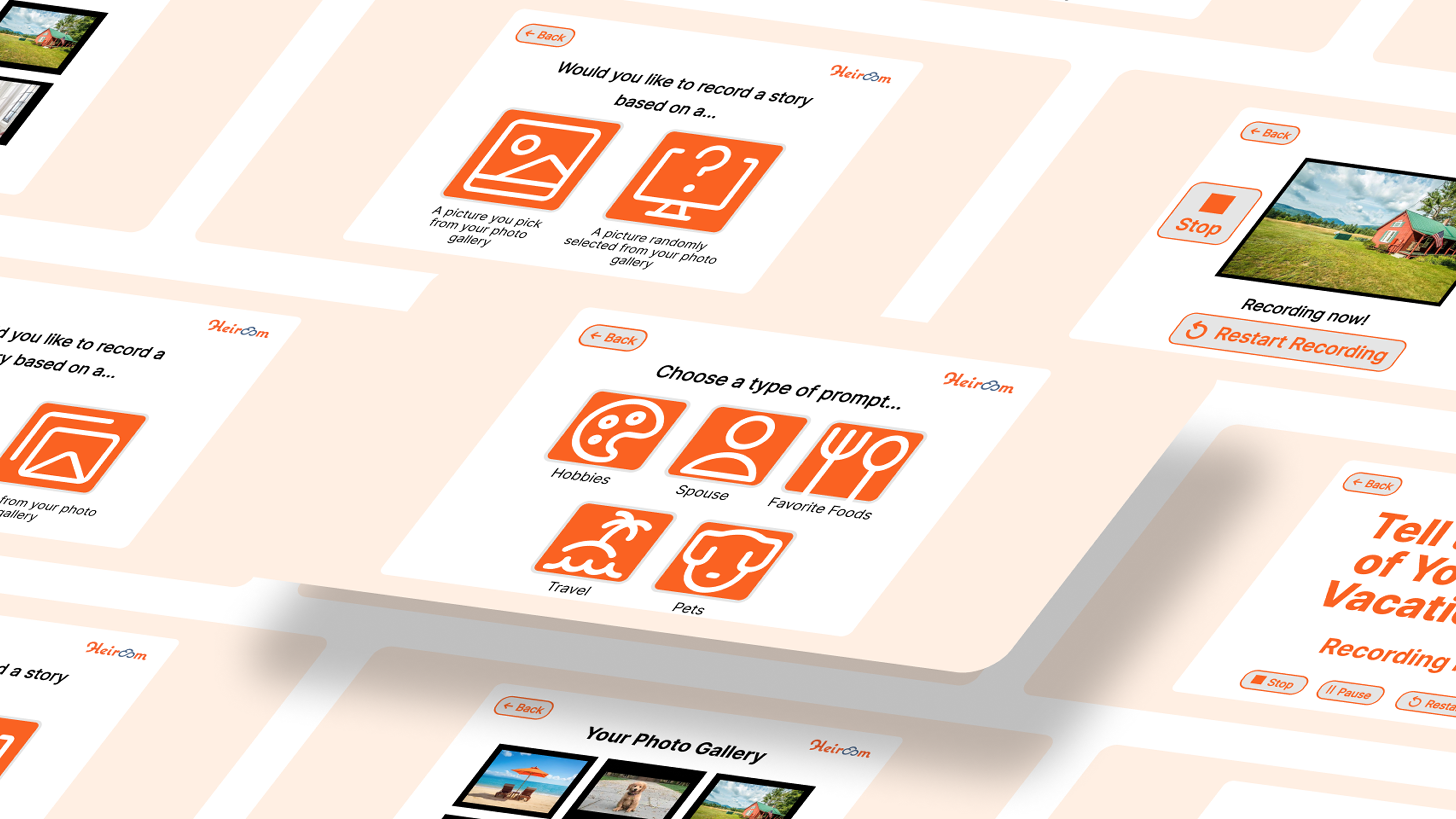
Heiroom is a digital platform dedicated to fostering family connections through both its desktop app and website. Our collaborative efforts revolved around crafting an interface for the Heiroom platform, one that resonates with the elderly and provides an engaging avenue to share profound life experiences with their family.
Jump to Final DesignProblem
A Missing Recording Product
Heiroom aims to create a memory recording service for retirement home residents. This solution should empower them to use it independently during their leisure time, without external help. However, they currently lack a tangible recording product with an engaging question set of prompts tailored to the elderly audience.
How might we create an intuitive memory recording interface with engaging prompts tailored to elderly residents?
Solution
An Intuitive Interface with Relatable Prompts
In three months, we successfully delivered an intuitive interface, an effective recording process, and relatable prompts. Our collaboration extended to working alongside Chris Budnik, the company's founder, and Ashley Hutchison, the director of technology, in bringing to fruition the foundational design of Heiroom's memory recording service.
Process
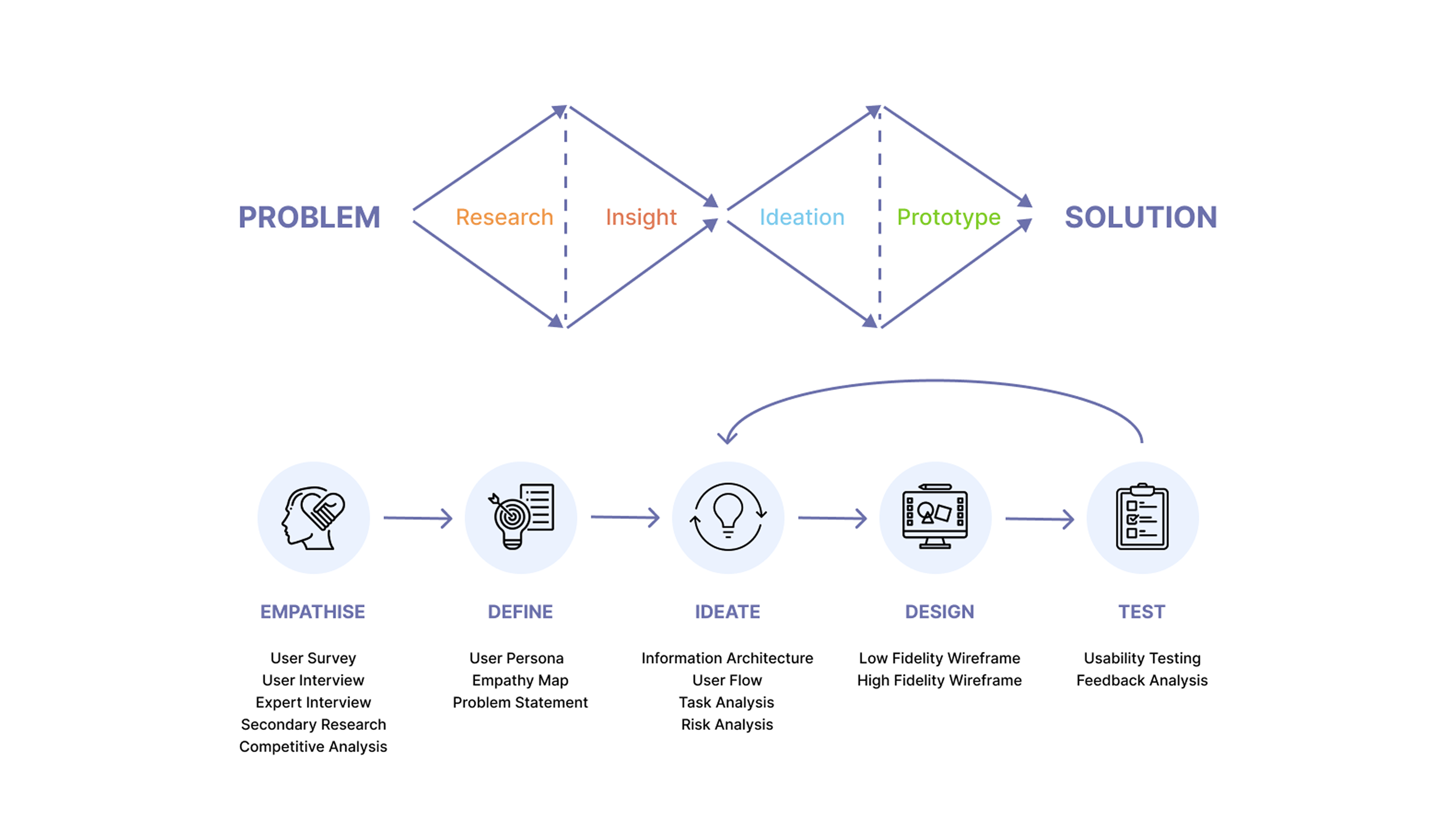
Lean UX Design Thinking
We followed a lean UX design thinking process to ensure that our decisions were supported through user research and feedback.
Persona
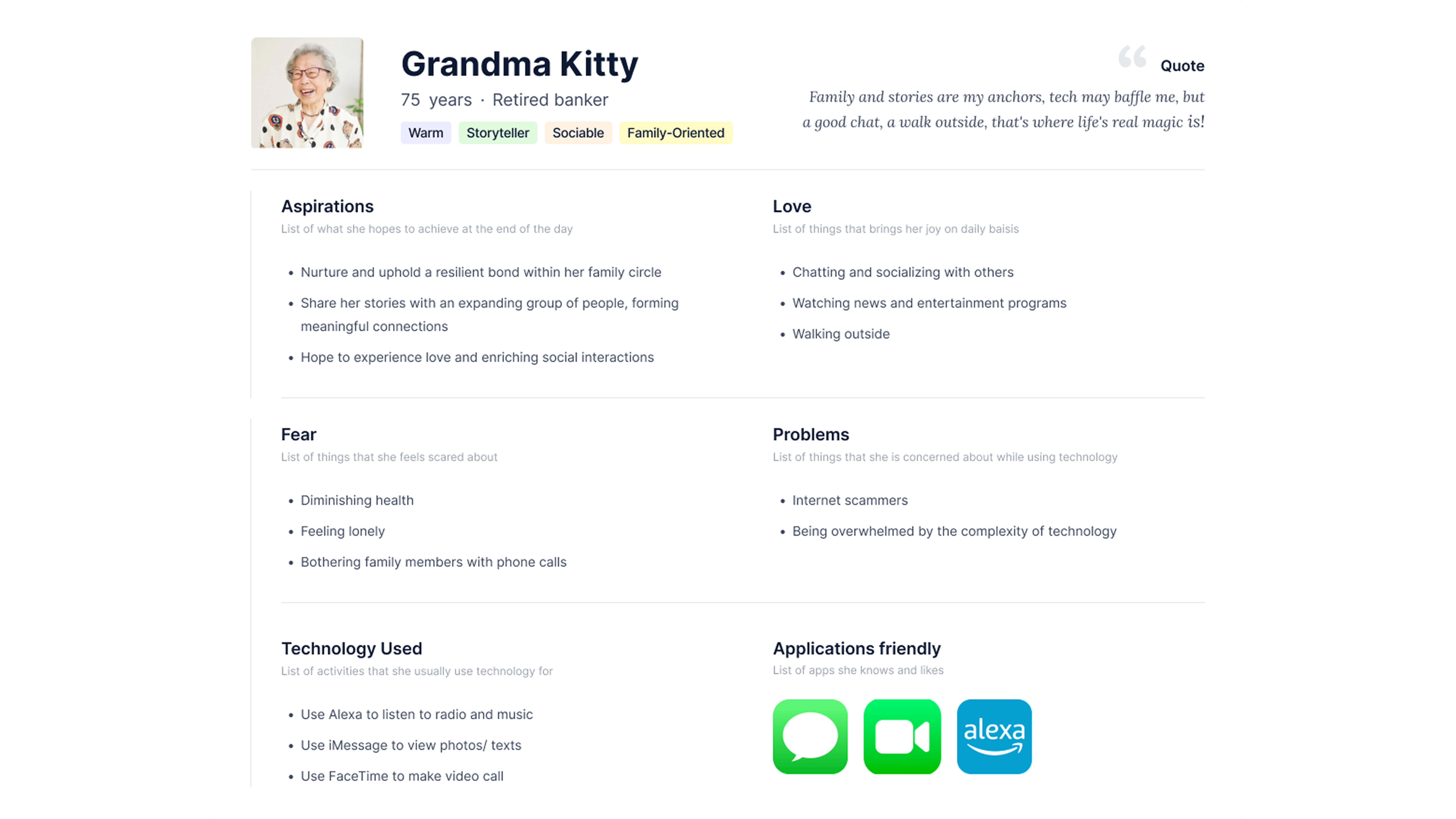
To better understand our users, we developed a persona named Grandma Kitty. Kitty is a 75 year old woman living in a retirement home in Chelmsford, MA. She has two daughters and four grandchildren who live in Boston and come to visit her once a month.
Competitor Analysis
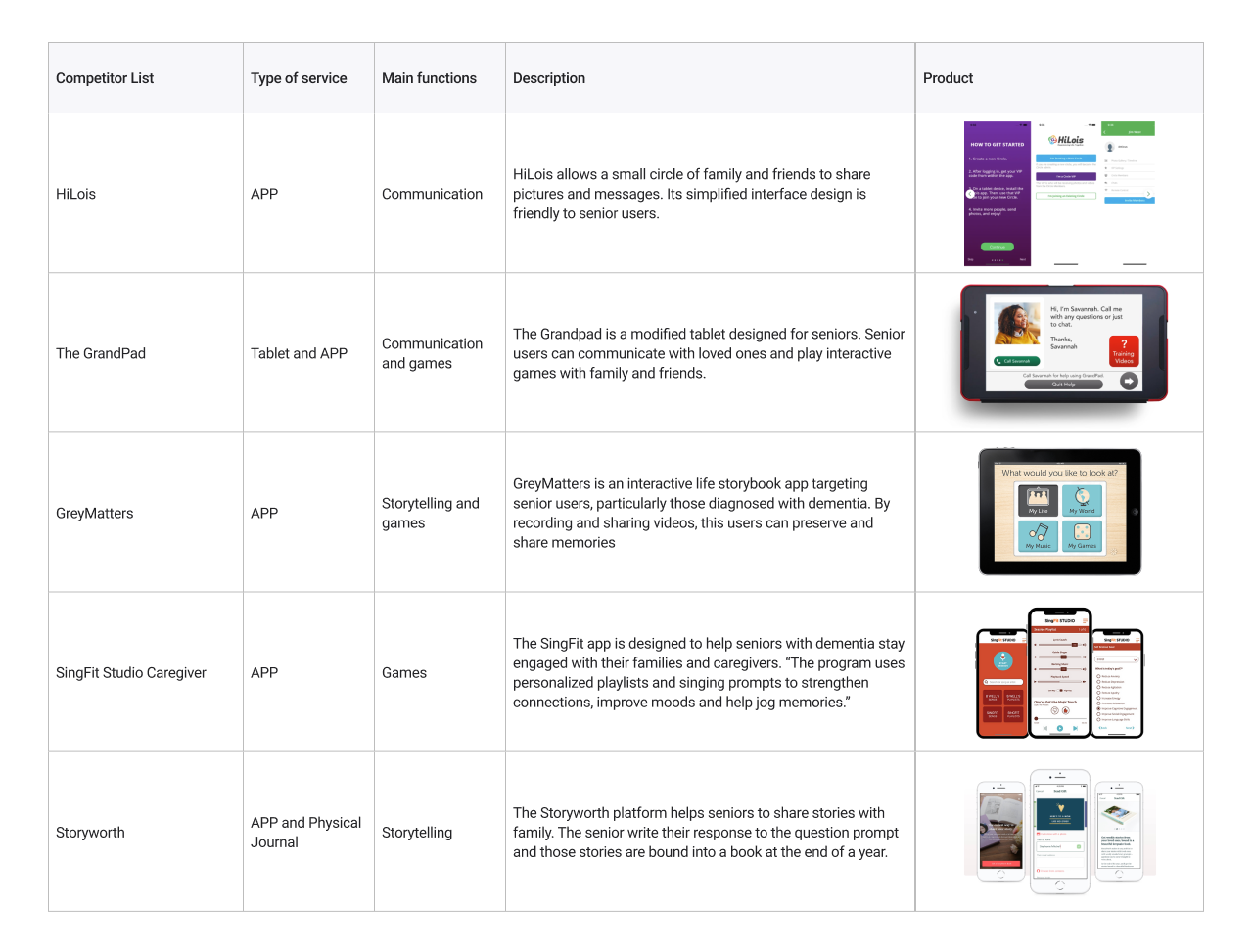
We identified five competitors in the industry and analyzed their products. They all target senior users, aiming to help seniors connect better with family and friends.
Secondary Research
We conducted two streams of secondary research. First, we studied interface design best practices for elderly users — findings emphasized large tap targets, clear labels, consistent navigation, and preference for tapping over dragging. Second, we researched elderly loneliness and found that isolation significantly impacts health outcomes, and that 84% of seniors consider technology vital for staying connected. These findings validated the need for Heiroom and shaped our design principles.
User Survey
We surveyed elderly individuals to identify the types of stories they most enjoy sharing. Respondents gravitated toward three themes: family history (meeting a spouse, proud parenting moments), significant life events (first car, wedding day, best vacation), and life lessons for younger generations. From these insights, we developed 13 story prompts tailored to what matters most to our users.
User Interview
We interviewed a member of our target user group and learned that she prefers phone calls over texting, is interested in narrating stories based on photos (family weddings, grandparents, parents), and would want to discuss topics like childhood memories, hobbies, and trips. She also noted that a computer-sized screen would be easier for her and her friends to use than a phone.
Expert Interview
An interview with a Nursing Home Administrator revealed that about 40% of residents own cell phones, phone calls are preferred over texting, and residents generally have a positive attitude toward learning new technology — especially voice-based tools like Alexa. These insights reinforced our decision to design for a tablet-sized interface with simple, familiar interactions.
Prototype Version 1.5
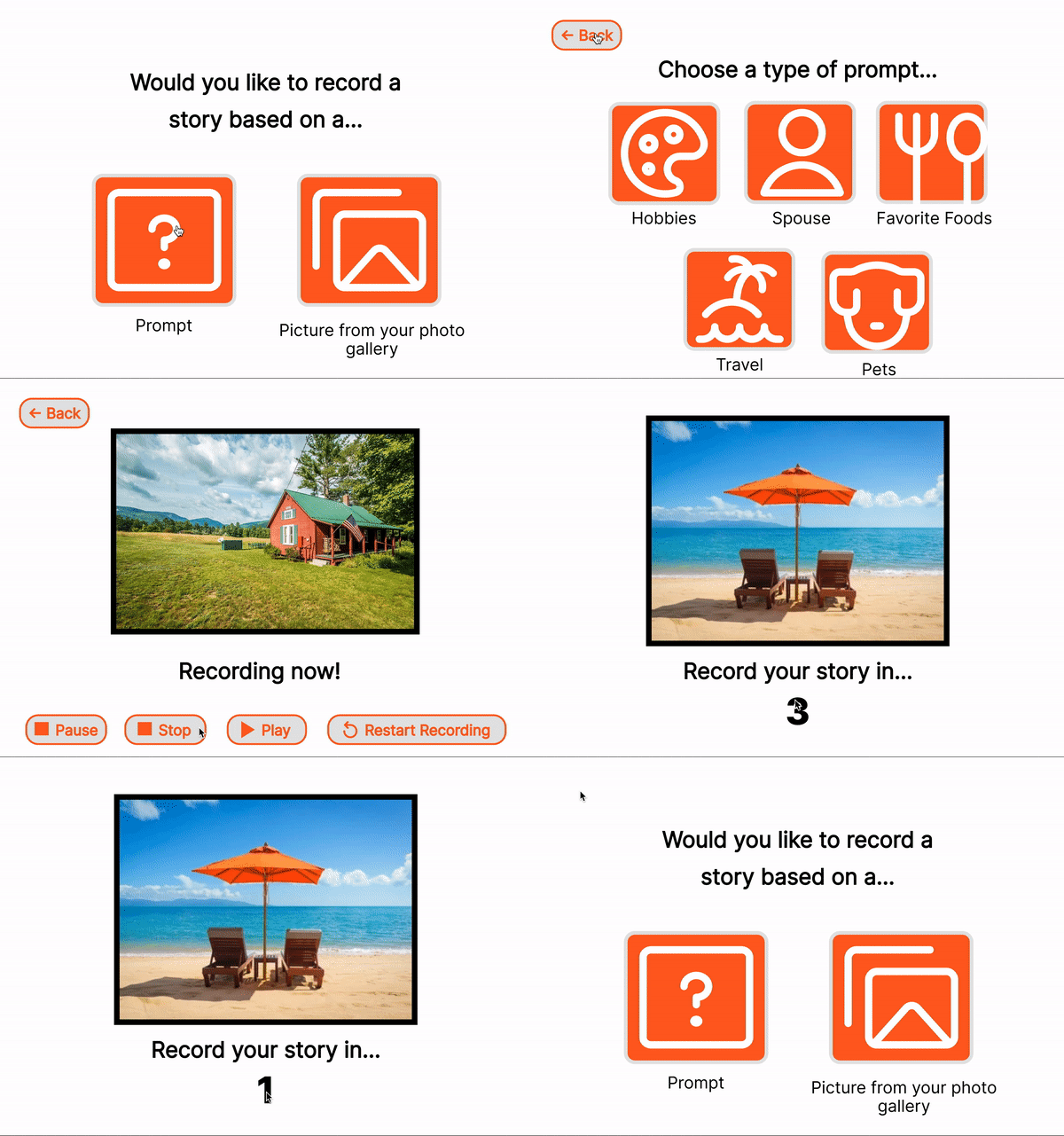
Following our primary and secondary research, we developed the initial prototype (V1) and proceeded with usability testing. Incorporating that feedback, we refined the prototype to version 1.5.
Task Analysis
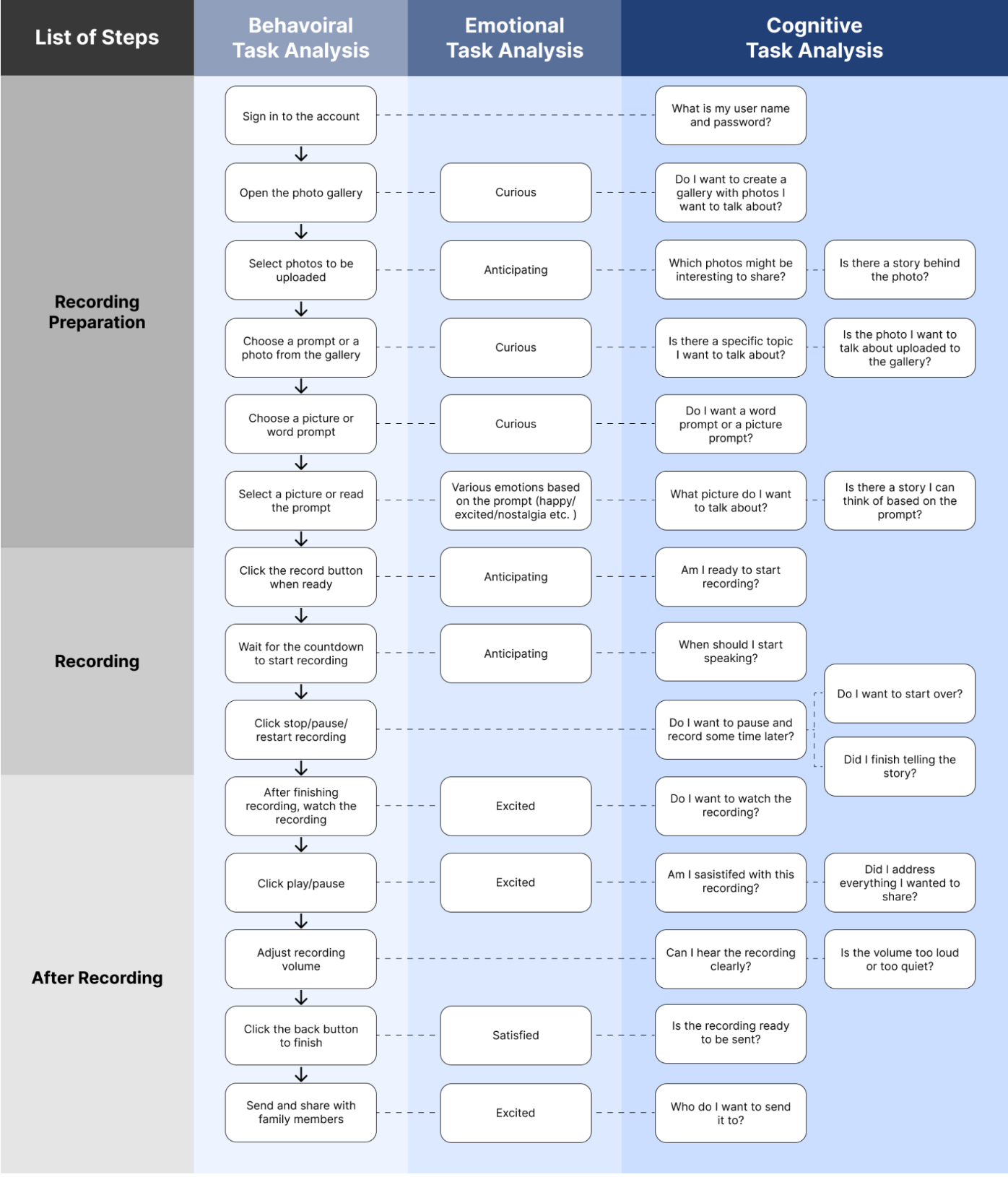
We created a flowchart covering the behavioral, cognitive, and emotional steps seniors take while interacting with the platform.
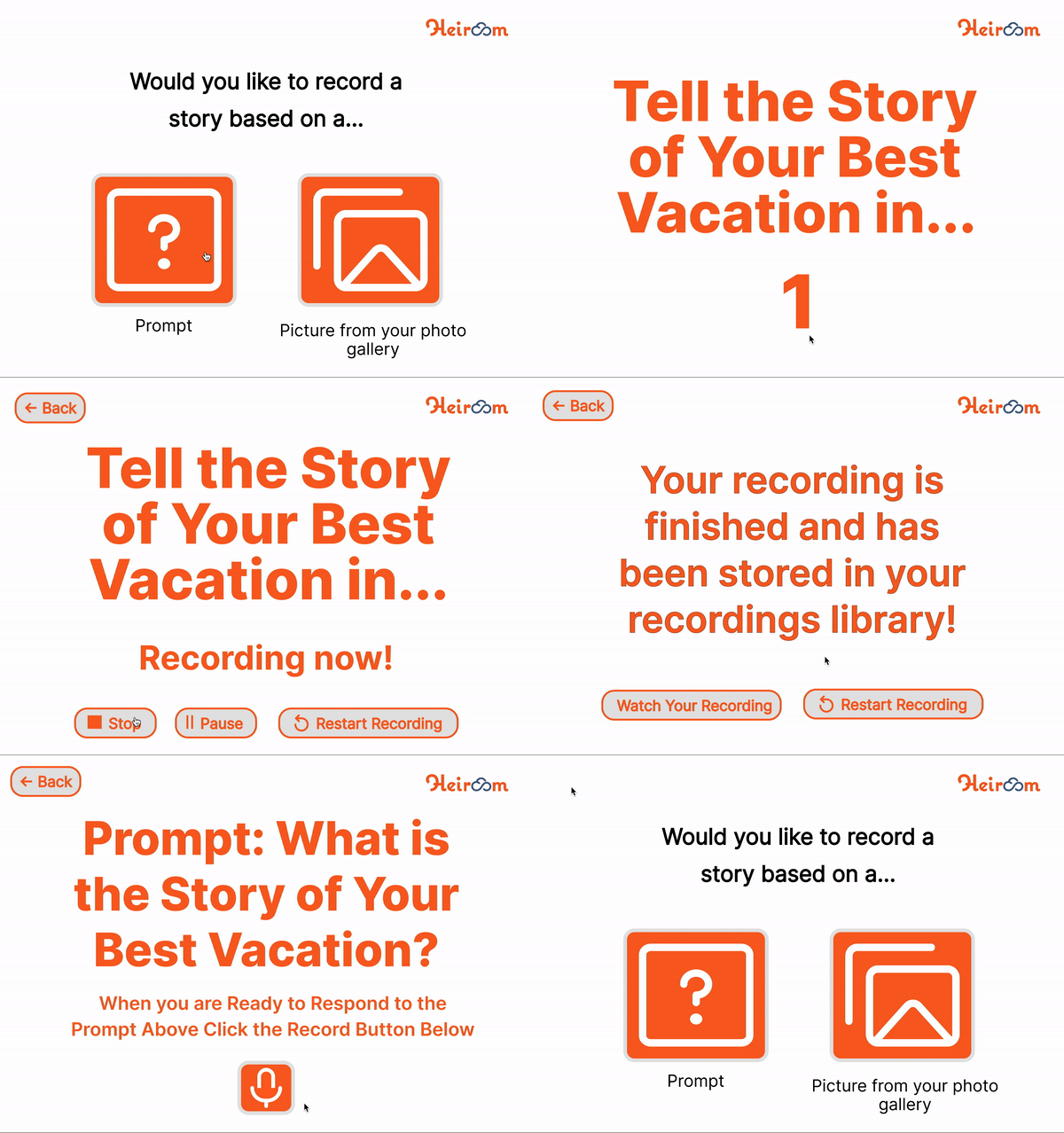
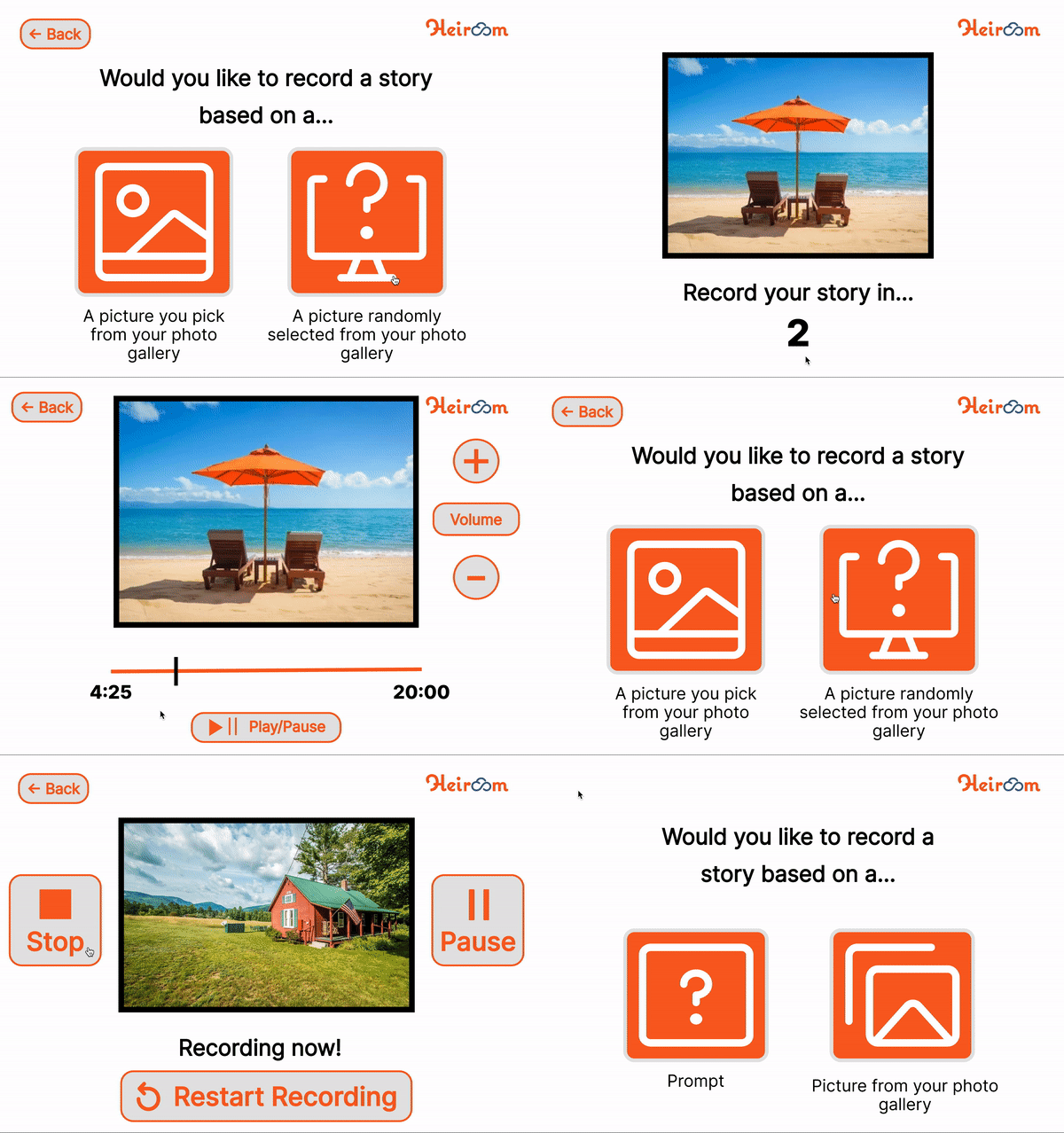
Design Prototype V2
Incorporating all design changes from user and stakeholder testing on V1 and V1.5, we developed prototype V2 — a more polished synthesis of user preferences and stakeholder feedback.
Usability Testing & Final Design Changes
We tested V2 with users and collected feedback for five final changes:
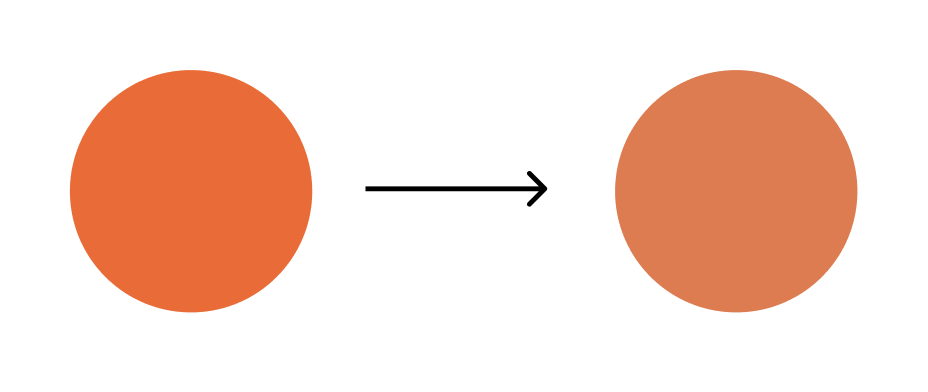
1. Heiroom Color Update
Users found the orange text too bright on white, so we adjusted to a softer shade with better contrast.
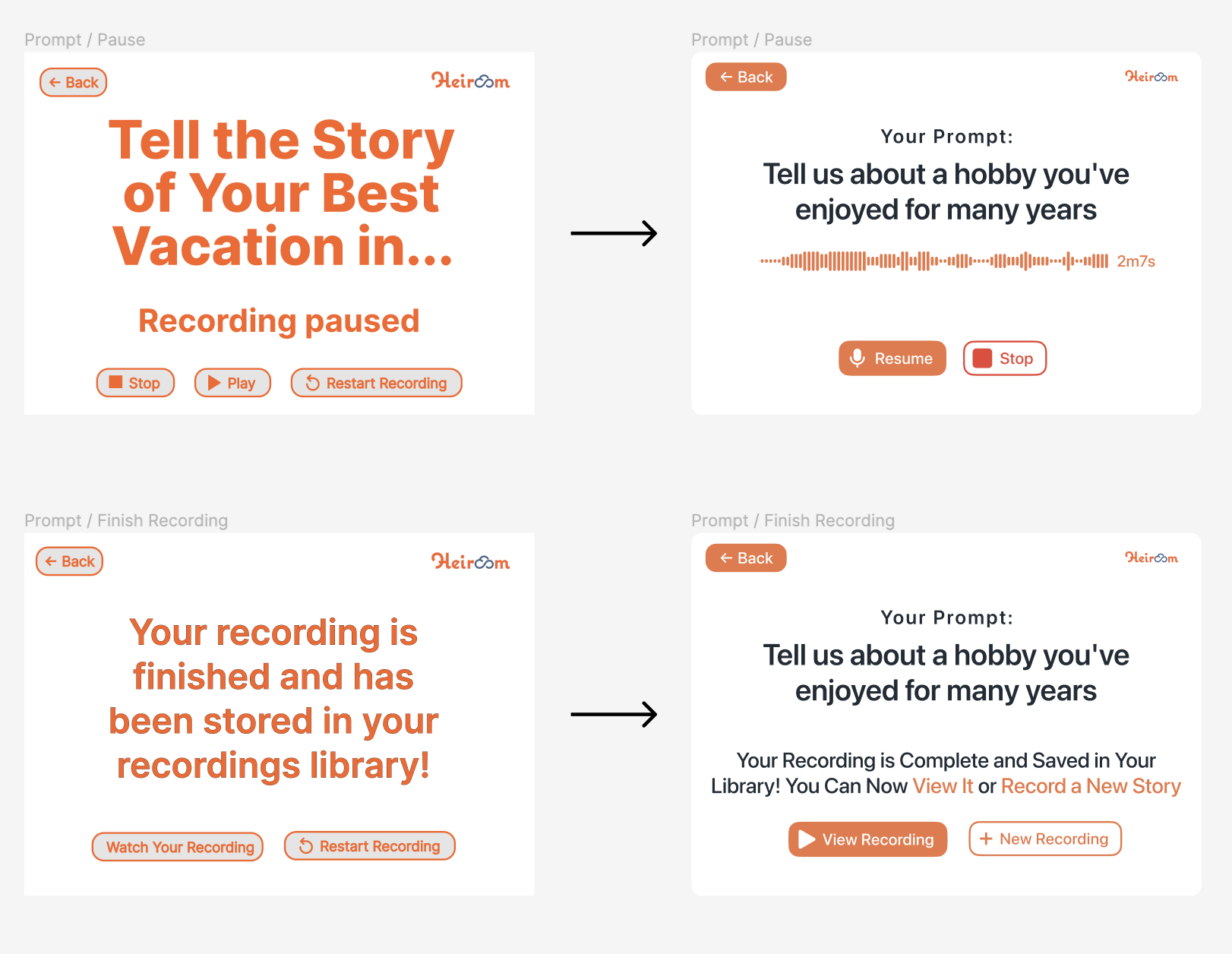
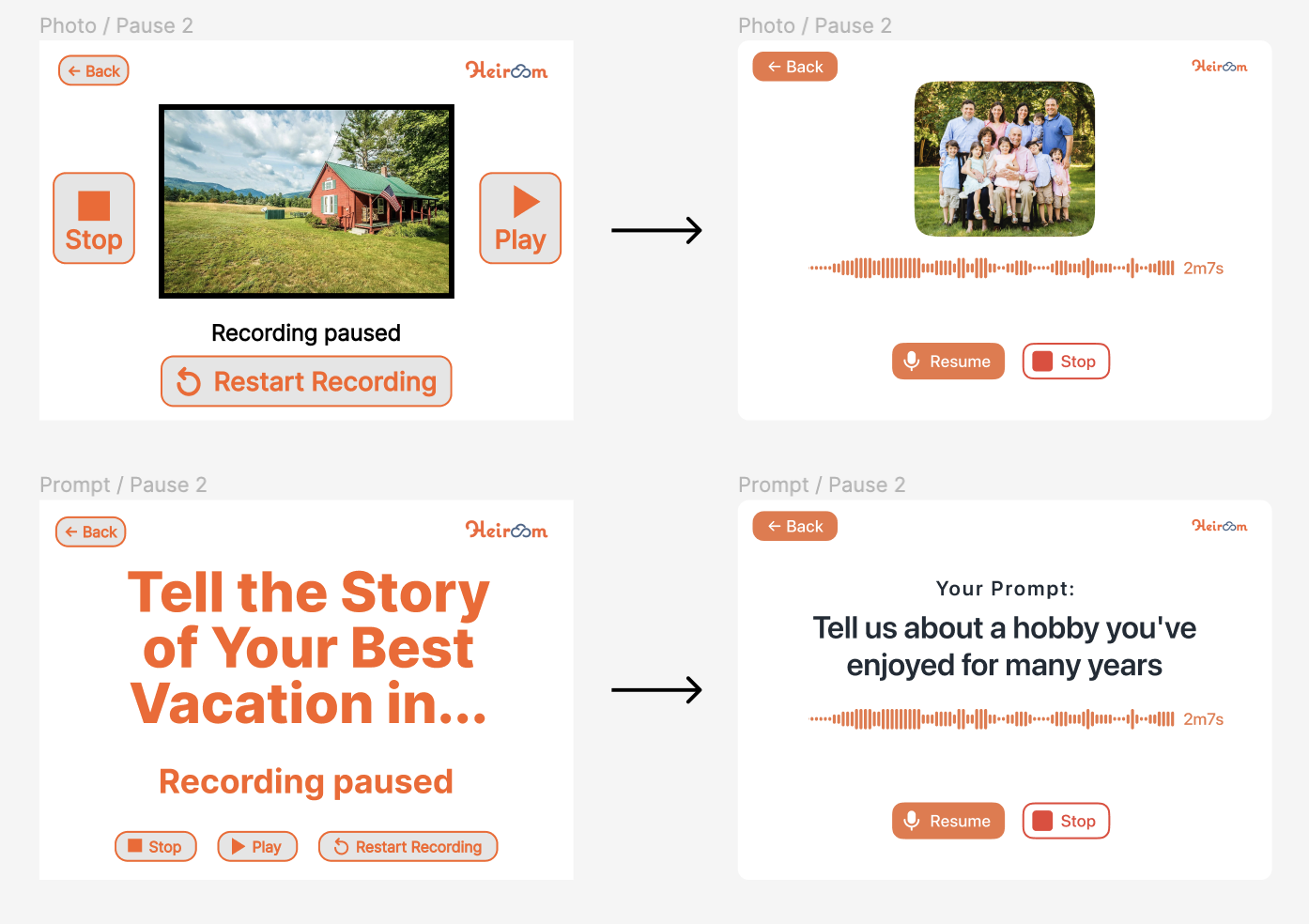
2. Recording Process Clarity
Users confused the “play” button (meant to resume recording) with a playback button. We renamed it to “resume” and changed “restart” to “new recording.”
3. Button Display
Users responded well to buttons with both icons and full text labels, confirming our approach of pairing visual cues with clear descriptions.
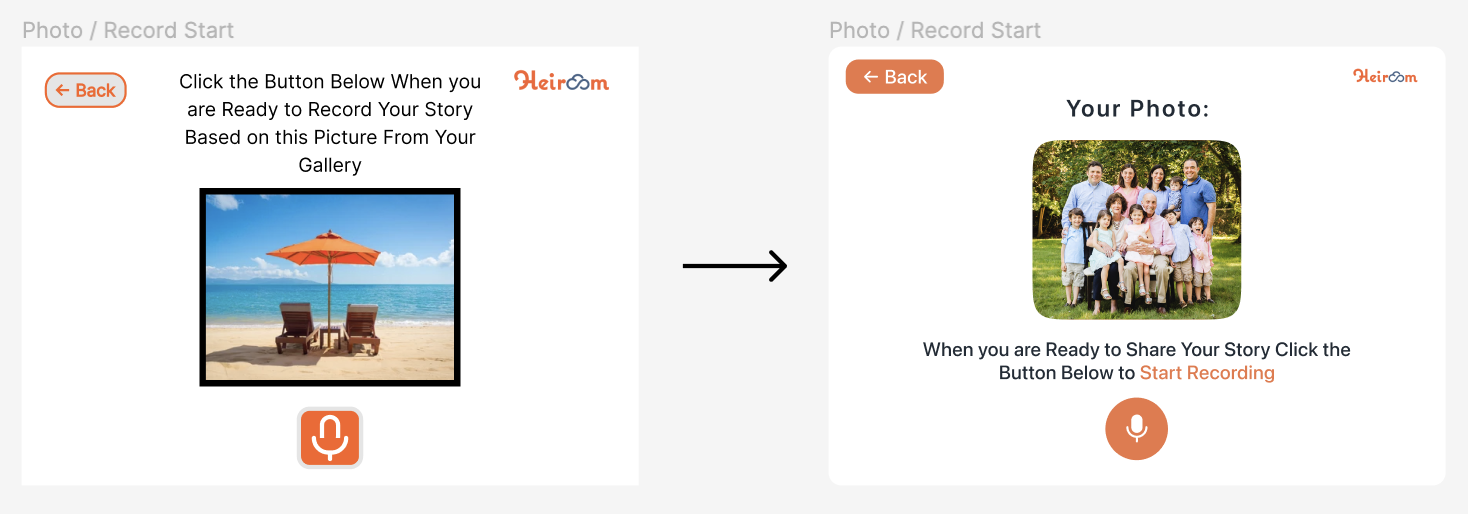
4. Size & Consistency
Users flagged inconsistent button sizes and positions between the prompt and photo recording screens. We unified both interfaces with moderately-sized buttons at the bottom of the screen.
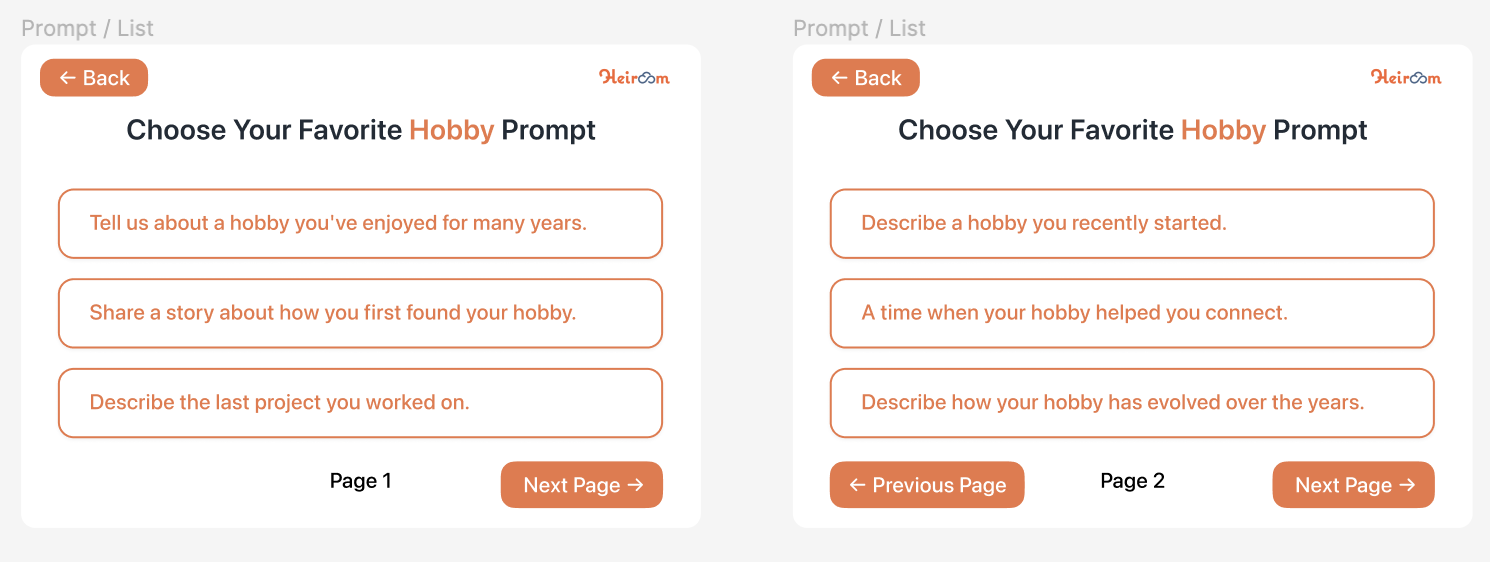
5. Missing Screens
User questions during testing revealed expected flows that were missing from the prototype. We added these screens to ensure a complete experience.
Final Design
The Complete Heiroom Recording Platform
The final design integrates all changes from three rounds of user and stakeholder feedback, resulting in a comprehensive, accessible recording platform for elderly residents.
What I Learned
User and Stakeholder Testing
User testing revealed gaps we couldn't see after months of working on the prototype. Fresh eyes helped us refocus on the big picture and catch missing features that were essential for a seamless experience.
User Survey
The survey helped us craft 13 story prompts that genuinely resonate. A future direction could link recorded stories to Heiroom images, making the family experience even richer.
Expert Interview
The Nursing Home Administrator gave us firsthand insight into residents' daily lives, family interactions, and comfort with technology — all of which directly shaped our interface and prompt design.