Venera
Turning Doctor's Visits from Rushed to Ready
3 months
Role
Product Strategy
Interaction Design
Prototyping
User Testing
Team
Product Manager
Engineering Team
UX Researcher
Clinical Advisor
Deliverable
Mobile App Feature
iOS & Android
Timeline
3 months
Overview
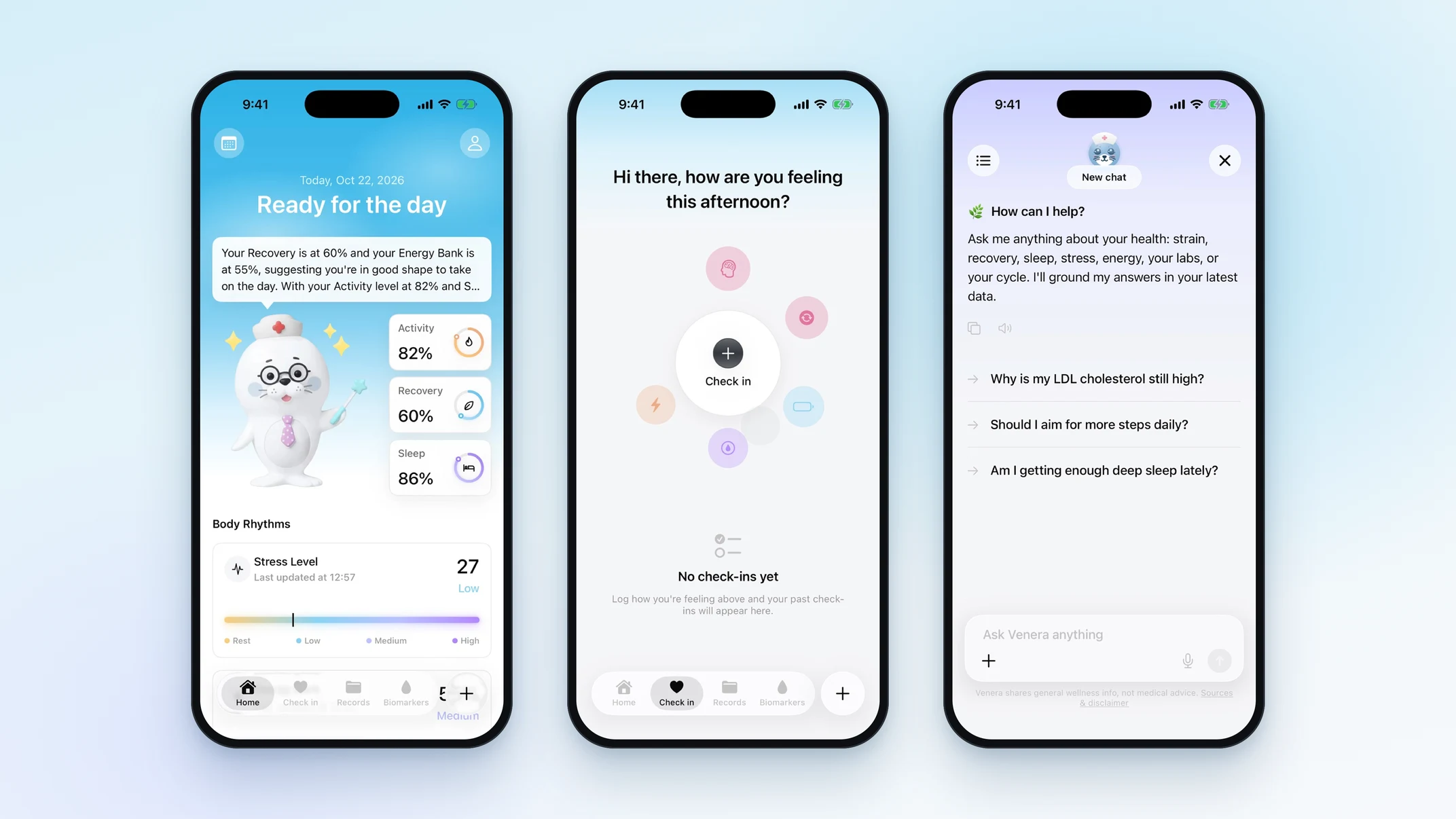
Venera brings tracking and medical records together to help people understand and own their health.
A new role, a new field…
I stepped in to lead design for an app full of health data, and the stories behind it.
I led end-to-end UX strategy and design for Venera, an AI-powered health app on iOS, Android and the web that brings daily health tracking and medical records into one place. I learned clinical terminology and health data standards, then turned that knowledge into charts that explain biomarkers in plain language, each one validated with our medical advisor before release. Venera reached 4,000+ users within 3 weeks of launch.
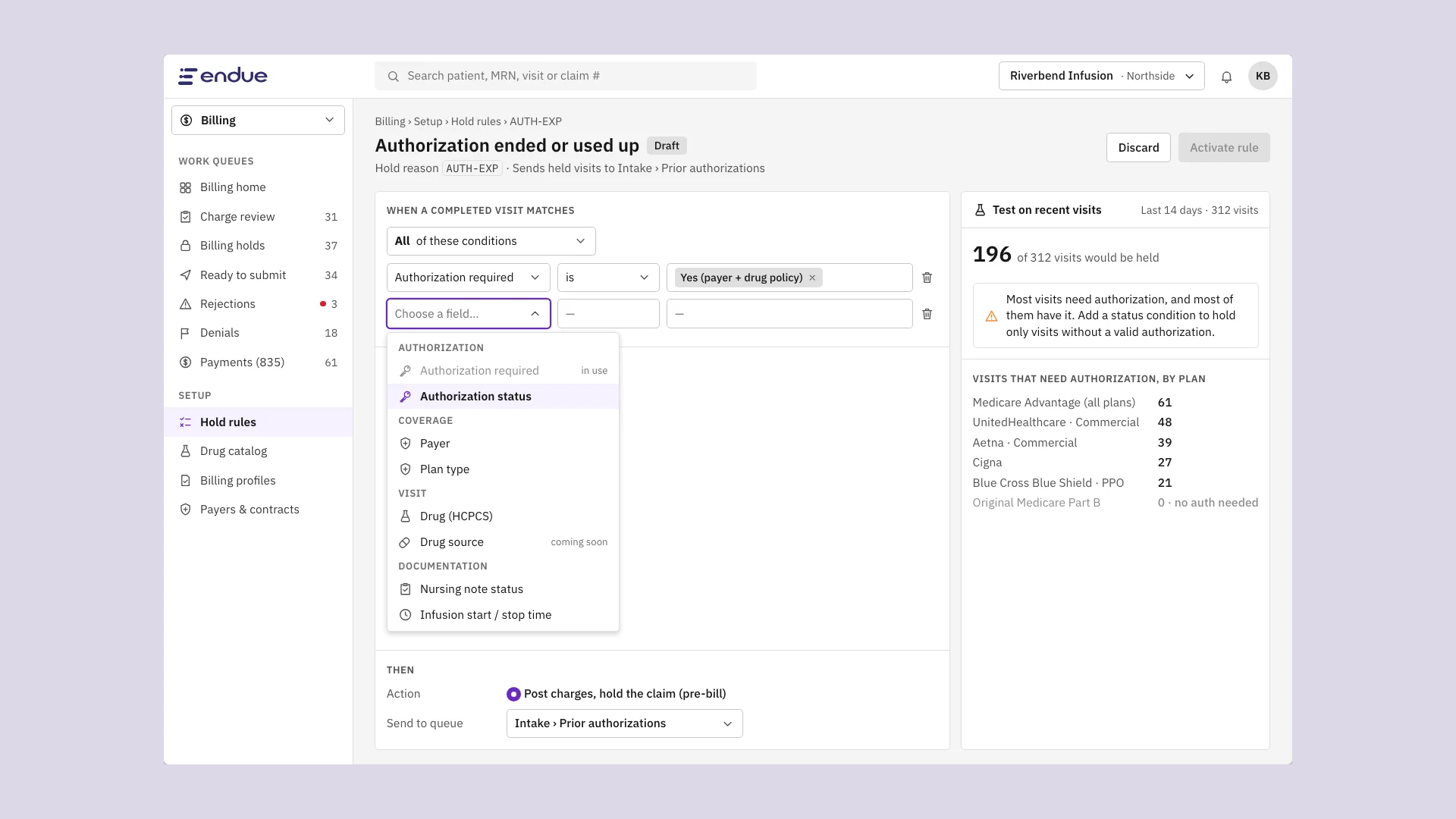
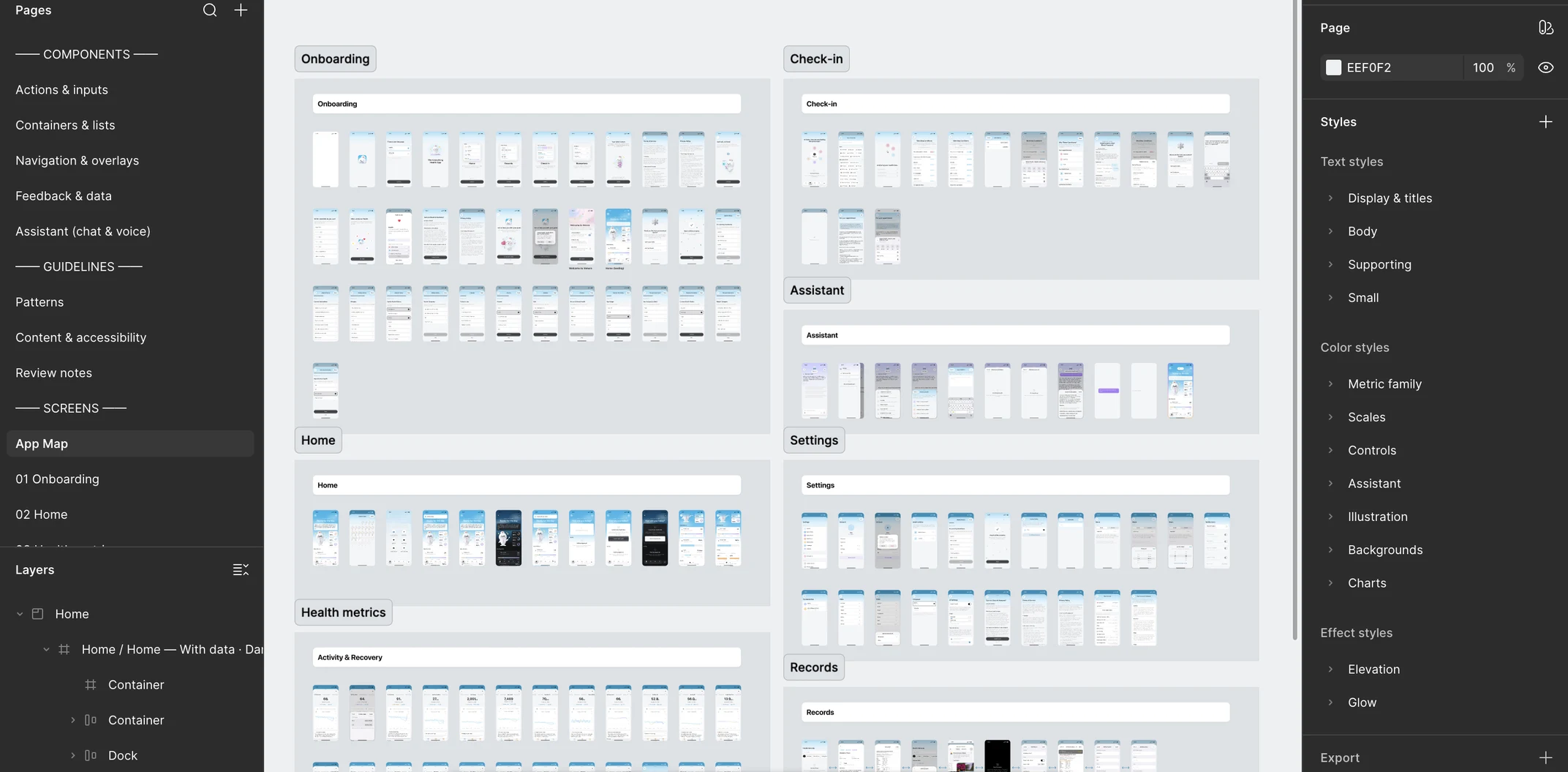
I built Venera's design system in Figma, in both light and dark mode, and translated it into a coded component library on GitHub. With shared components for designers and engineers, the average time from final design to dev-ready ticket dropped by 80%, from about 10 days to 2, over the following quarter.
Visit Prep, my most recent project, helps patients walk into appointments prepared and helps clinicians make the most of short visits. It launched in a pilot with two clinic networks and will soon expand to 8 more.
For this case study, I'll be focusing on Visit Prep.
Problem
Patients are trying to make the most of their doctor's visits, but the information they need is scattered and hard to summarize.
Outcome
A visit prep summary that turns scattered health data into one screen, so patients walk in prepared and visits go to care, not catch-up.
Spoiler: the final flow ↓How did we arrive at this problem space?
A patient's preparation before an appointment is critical to getting the right care in a short visit, but the information they need is scattered across apps, portals and memory.
We found that patients invest real effort before appointments: writing down symptoms, looking up lab results, remembering when something started. For some, preparing made them feel in control of their health. However, they struggled to pull the right information together, and often forgot key details once in the room.
Current State Data
68%
of users said they're likely or very likely to use a health app to prepare for an appointment. (User survey)
41%
said they forgot to mention something important during their last visit. (User survey)
18 min
average length of a primary care visit. (Clinician interviews)
~⅓
of visit time spent gathering history. (Clinician interviews)
Tools
What patients use to prepare, by share of patients interviewed
Emotions
"Preparers" like this process. It helps them feel in control.
Patients want to feel confident they won't forget something important or be rushed out of the room.
I write my questions in my phone the night before, but once I'm in the room, I freeze and forget half of them.
Preparing for a Visit
Before booking
Gathering info
In the room
After the visit
Patient actions
"I notice something's off. I wonder if it's worth a visit."
"I scroll through my readings and old labs. I screenshot what looks important."
"I try to explain everything quickly. I check my notes but lose my place."
"I try to remember what the doctor said. I search terms I didn't understand."
Interview insights
Patients with chronic conditions prepare much more than patients with one-off visits. Checkups feel "automatic."
Top things patients try to bring:
Symptom timeline
Recent readings
Lab results
Medication list
Questions
Symptom timeline
Recent readings
Lab results
Medication list
Questions
5 of 8 clinicians said patients bring too much unsorted data.
60% said they forgot at least one instruction after leaving.
Opportunities
Helps patients onlyHigh value: patients + clinicians
Patients
Symptom journal
Log what you feel, when.
Patients
Pre-visit question list
Write questions ahead of time.
Both
Shareable visit summary
What changed, meds, labs, questions.
Both
Post-visit recap
Instructions you can find later.
Both
Medication check
Confirm what you still take.
Clinician interview insights & quotes
Clinicians spend much of each visit rebuilding history the patient already has somewhere.
“I get five minutes of useful history in a fifteen-minute visit.”
Patients who bring data often bring too much. Clinicians want what changed, not everything.
“A patient showed me forty screenshots. I needed three numbers.”
Clinics want fewer follow-up calls and messages after visits.
“If patients left with a clear summary, half our callback messages would disappear.”
Clinicians want to understand a patient's situation quickly so they can spend visits on care, but struggle to get organized, relevant information before the patient walks in.
Clinicians want patients to arrive with the right information, so visits focus on decisions instead of history-gathering. Some clinics send pre-visit questionnaires, but few patients complete them, and the answers never include the patient's own health data.
Why did we converge on this solution?
Usage data showed that patients already look at their health data before appointments, and we saw an opportunity for a visit summary to set us apart while helping clinicians use visits better.
Lab and trend views were opened 3× more often in the 48 hours before a scheduled appointment. Patients were already trying to prepare, but the app gave them no way to organize what they found. Because Venera holds both daily tracking data and medical records, we could show something no portal or notes app could: how a patient's daily life connects to their clinical results.
...we see the lab results, but we never see what happens between visits, and that's a huge gap.
What directions did I explore?
To uncover the best long-term direction, I explored a spectrum of directions, each optimizing for a specific part of the experience.
Early explorations: exploring the range of possible experiences. Since no one had designed visit prep at Venera before, I sketched widely: summaries, checklists, timelines, chat-like flows, printable sheets.
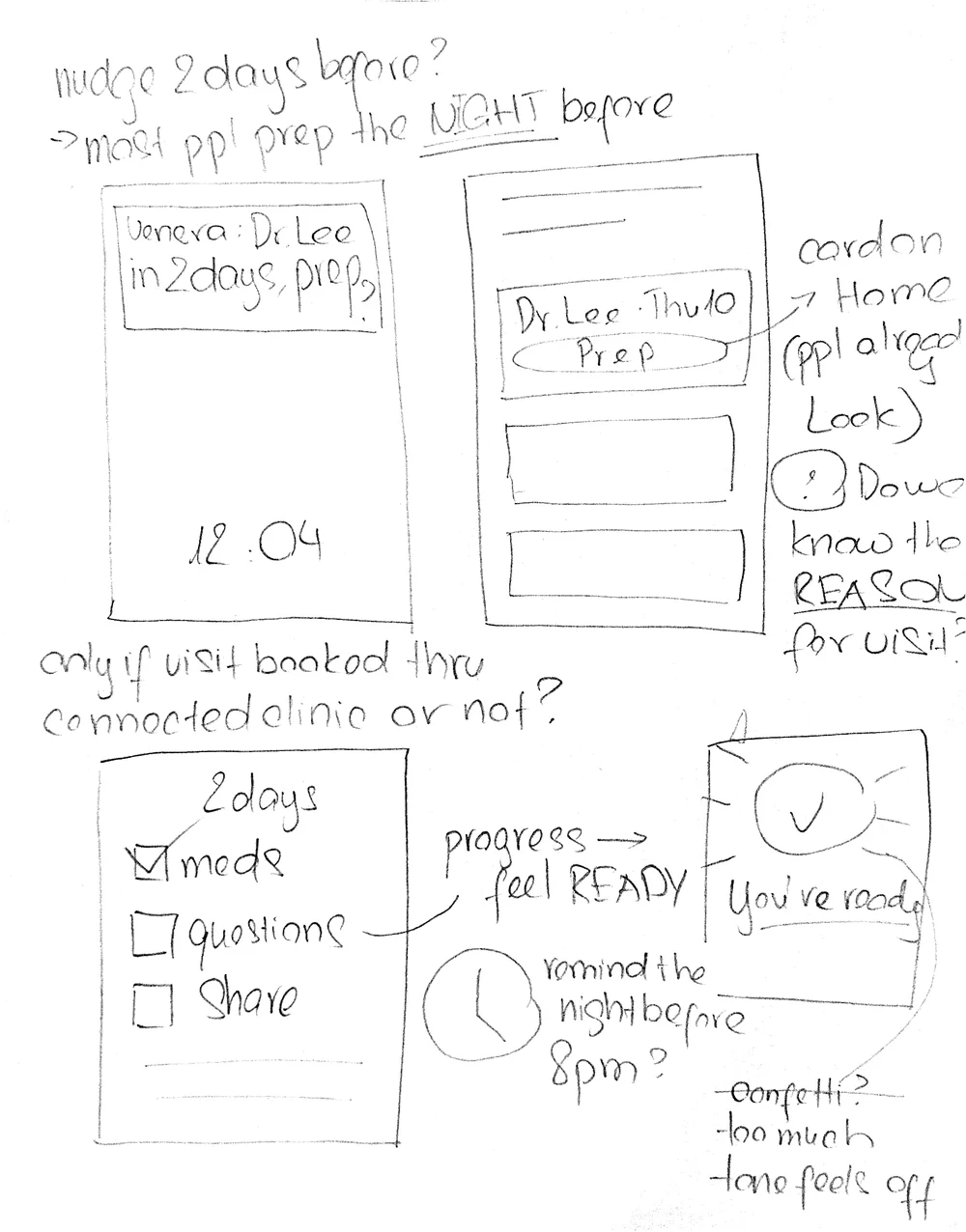
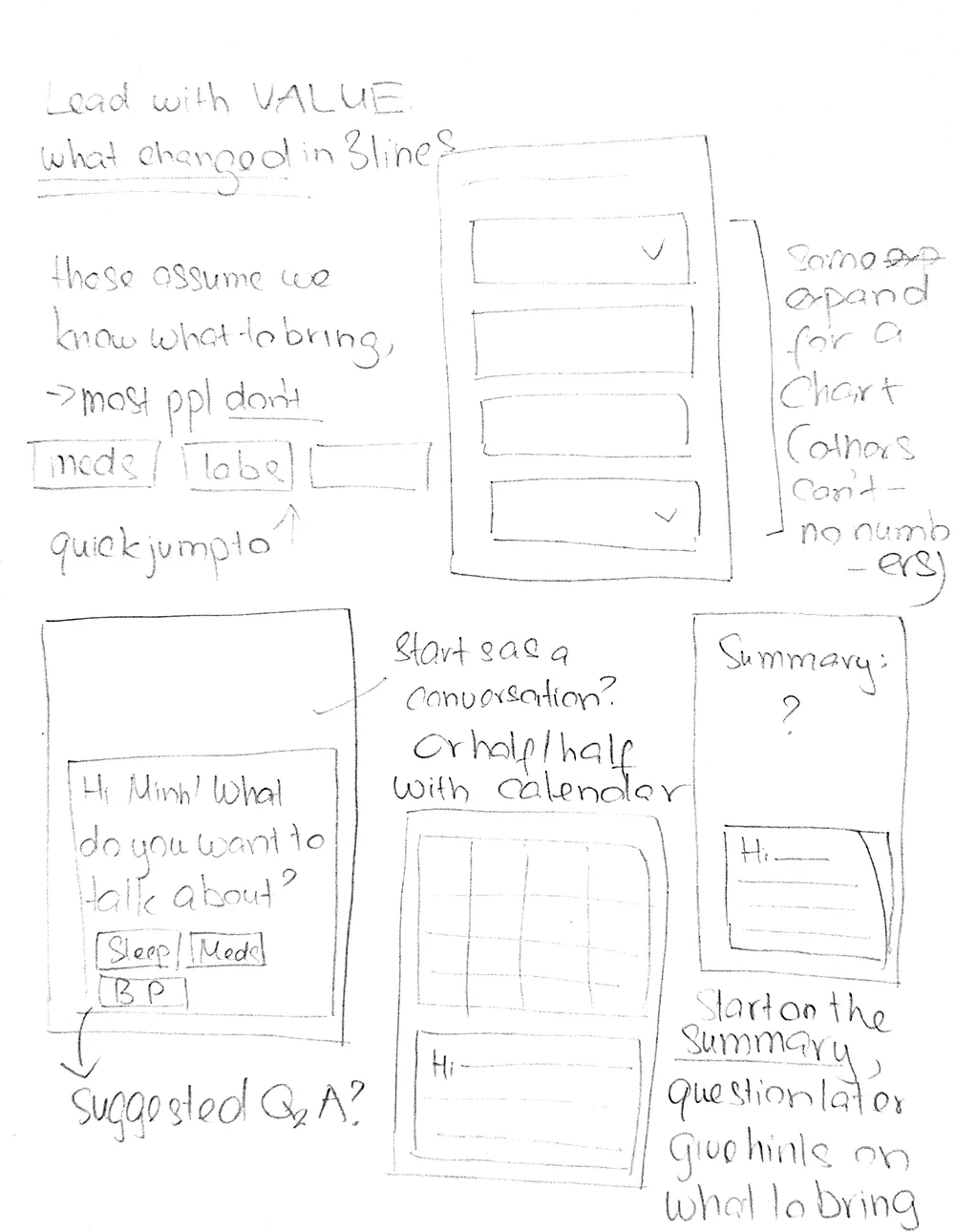
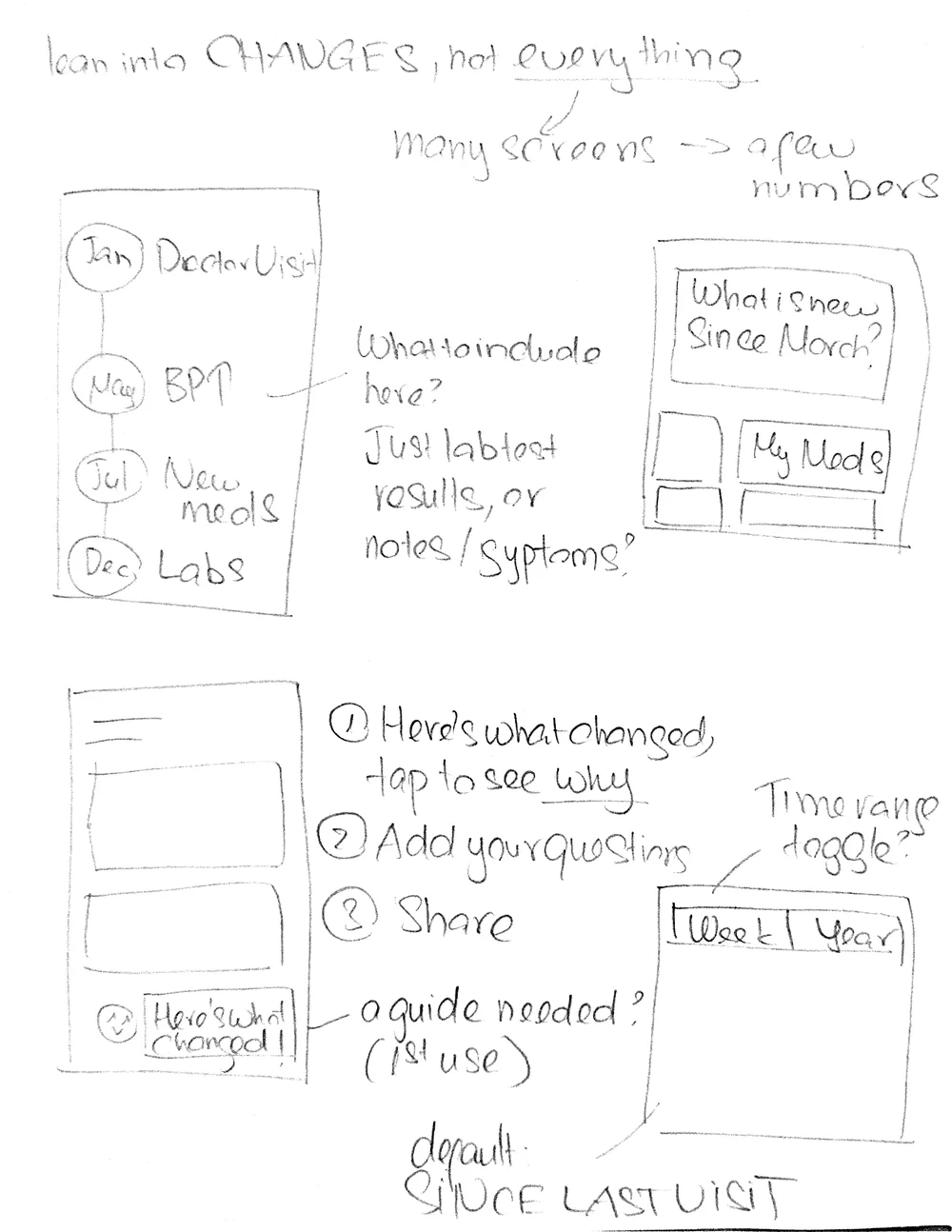
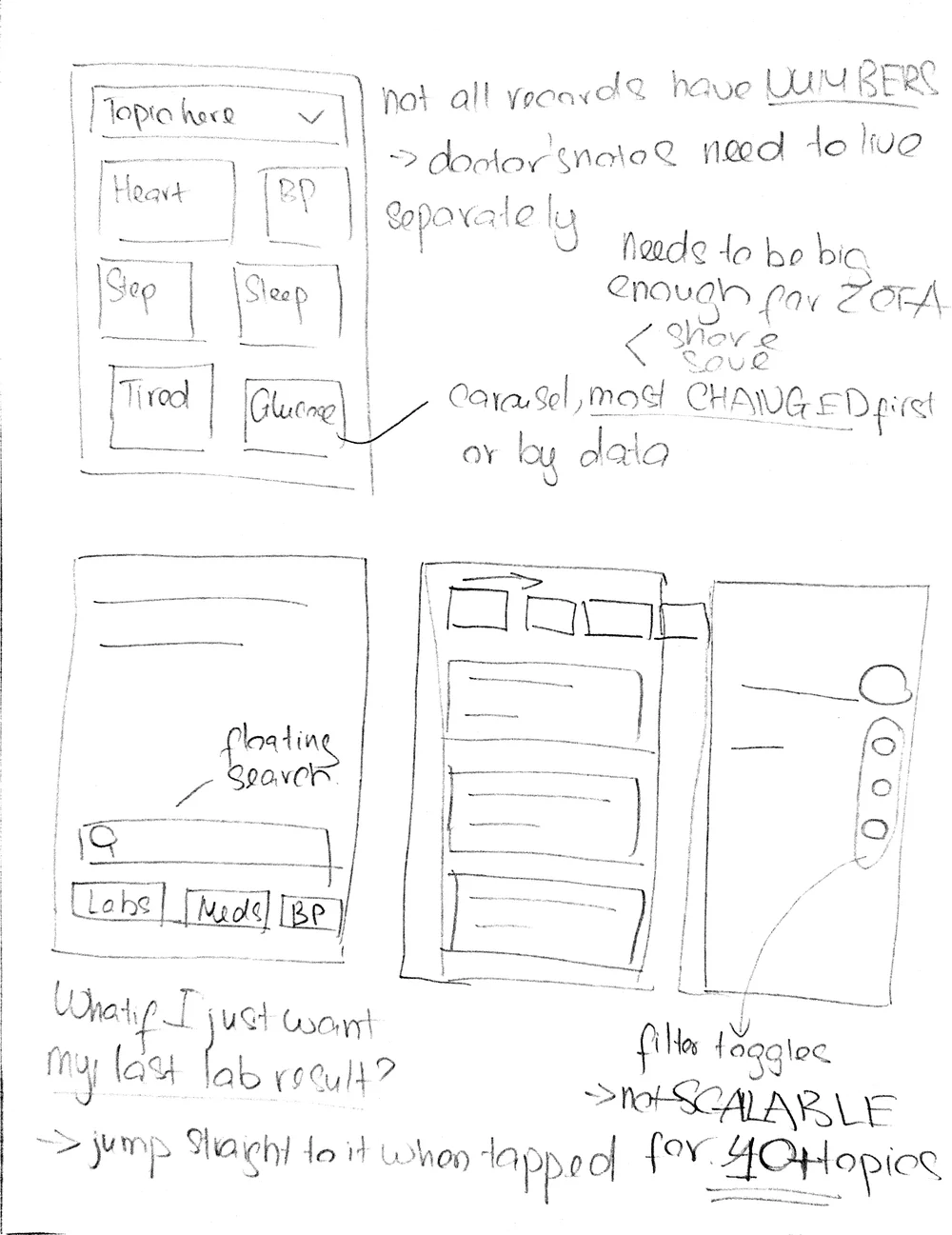
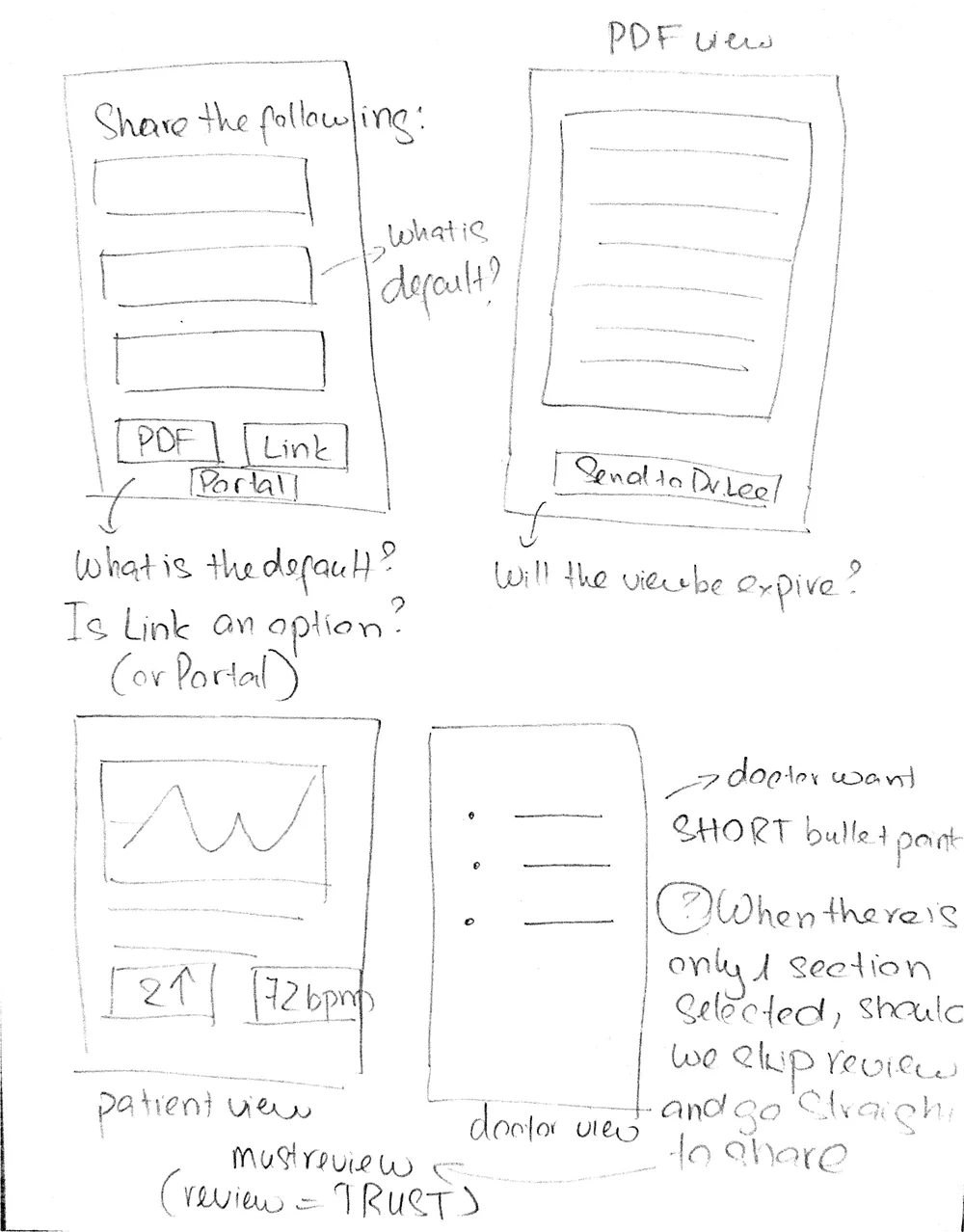
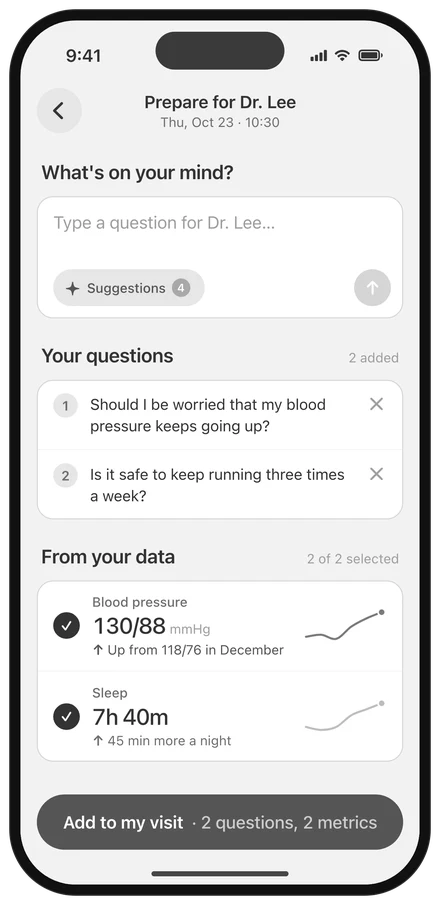
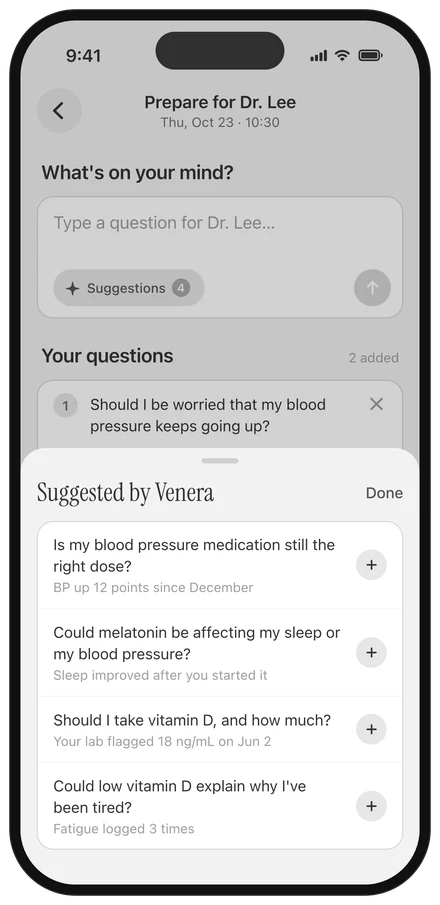
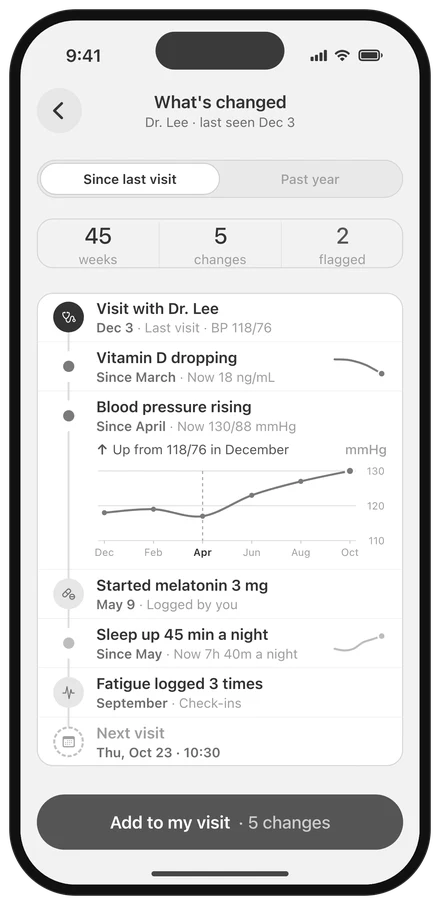
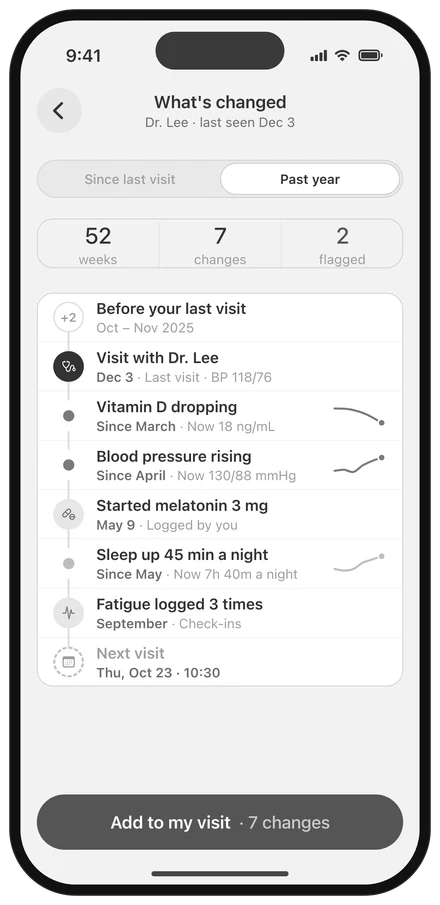
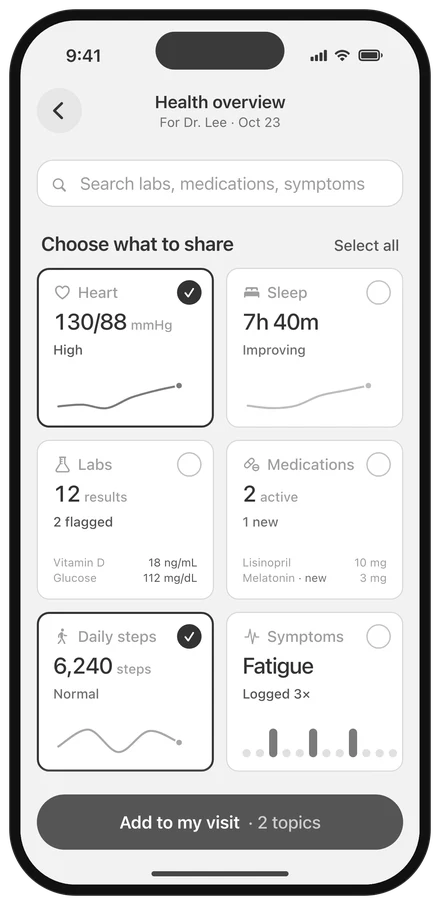
Iteration: distilling patterns into 3 potential directions. Because we didn't know how patients would want to prepare, we lacked information on which part to prioritize.
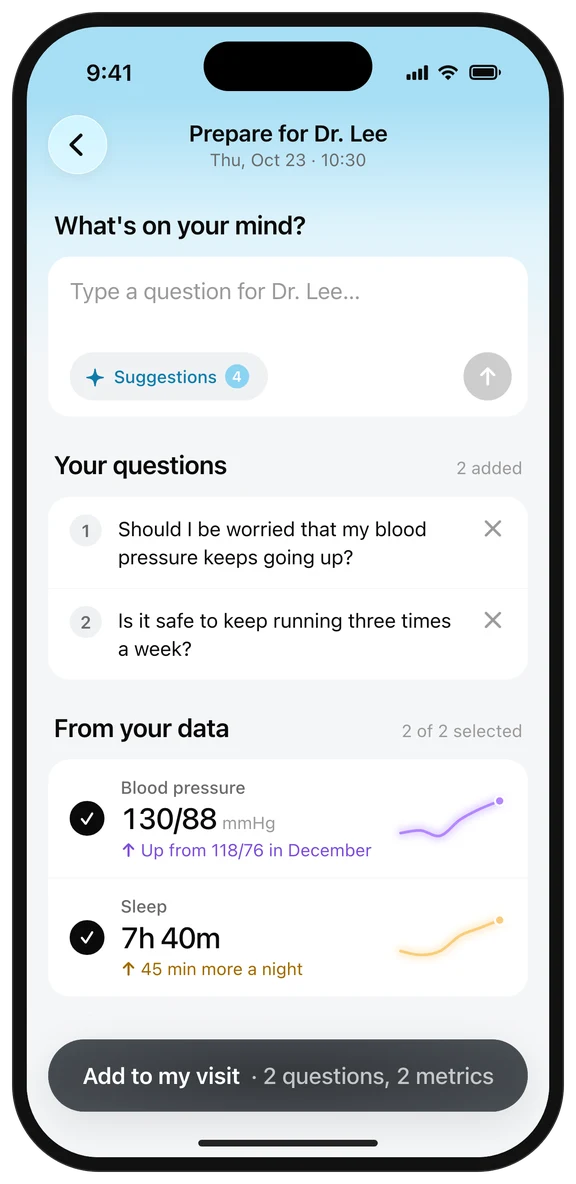
question-led: prioritizing what the patient wants to ask
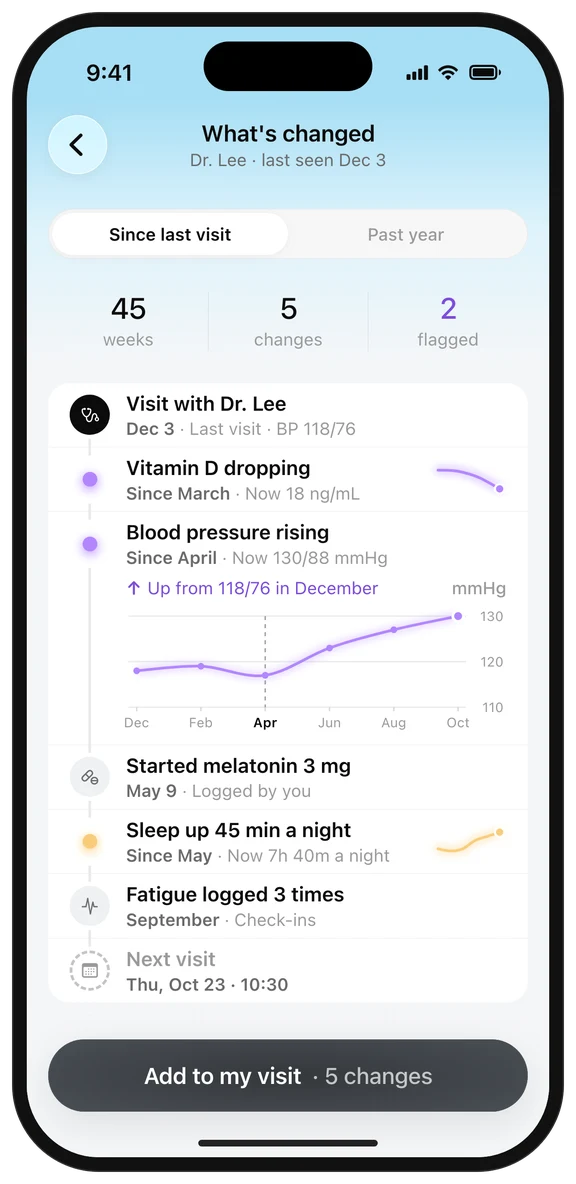
timeline: prioritizing what changed since last time
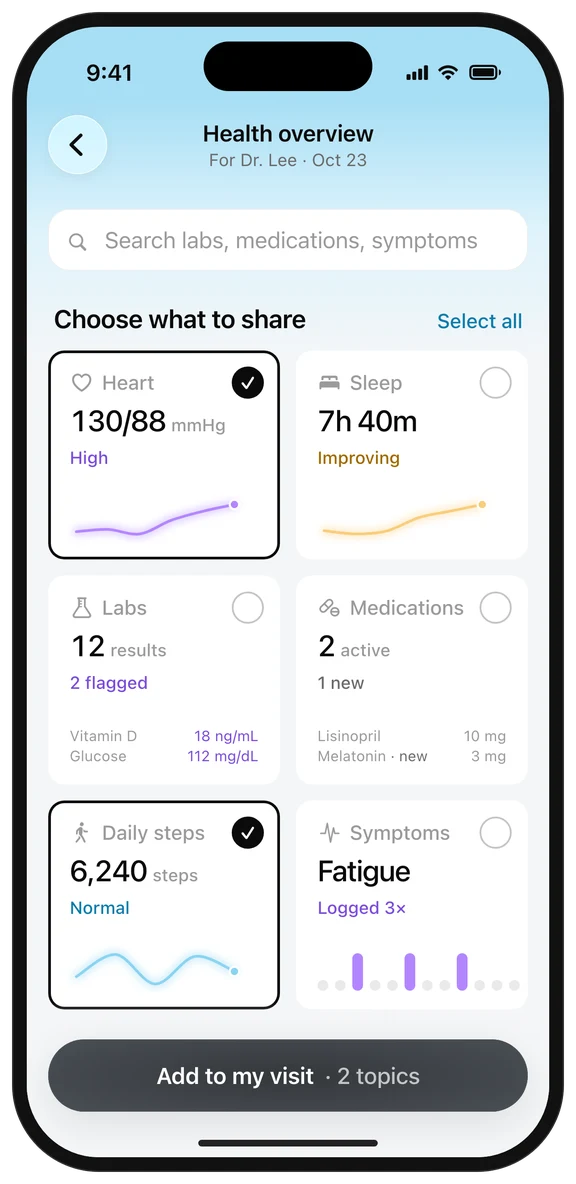
body system: prioritizing each part of the patient's health
How did I narrow down?
To align on a long-term vision and identify the best MVP, I led discussions with stakeholders and dug into the technical details with engineering and our clinical advisor.
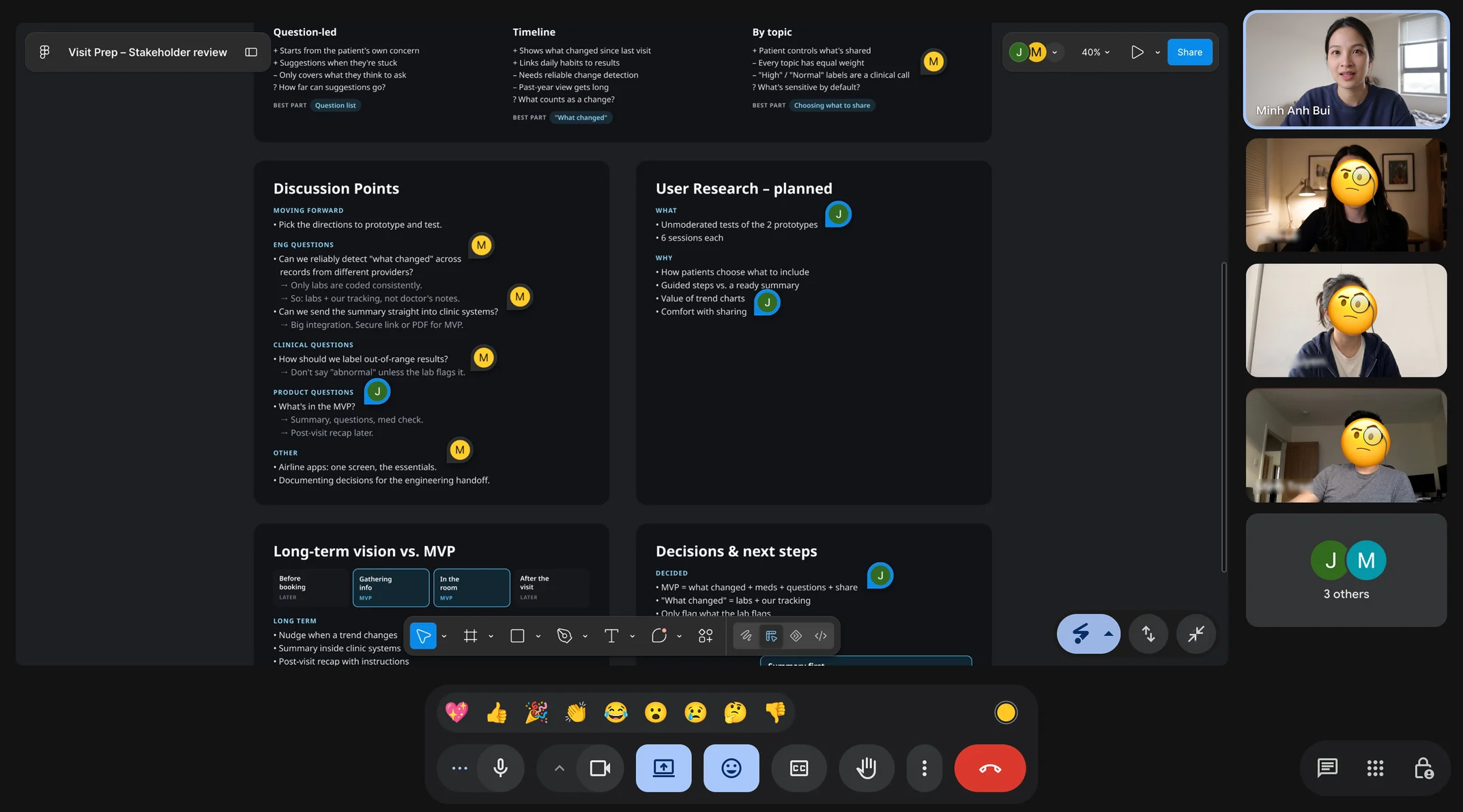
Iteration: defining the most feasible & valuable MVP. I worked with engineering, product and our clinical advisor to narrow the scope, and arrived at 2 directions that combine the strongest parts of all three.
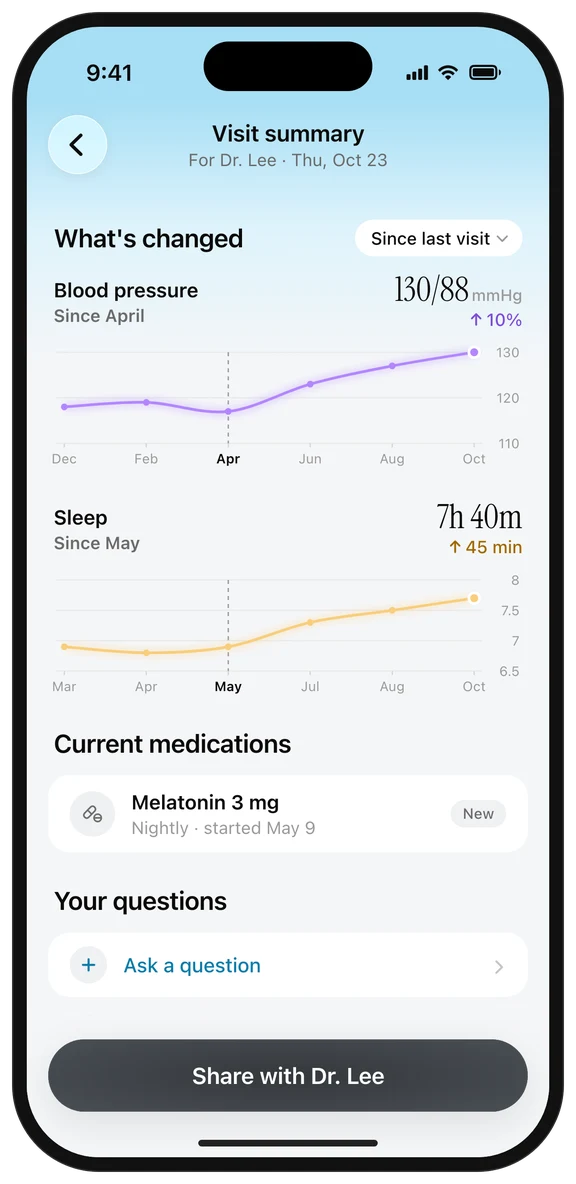
summary first
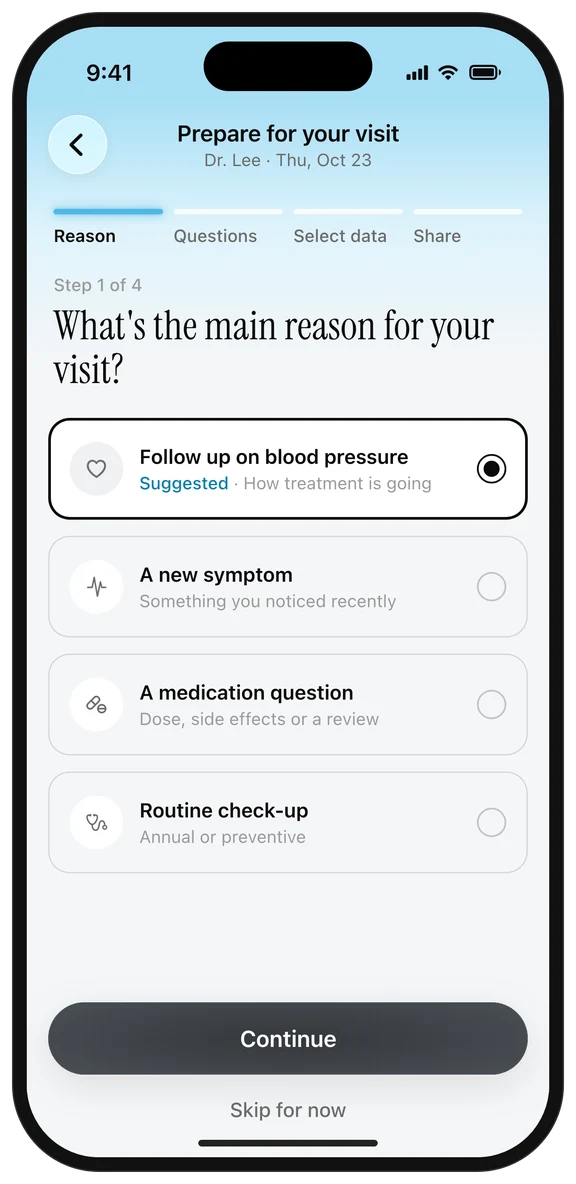
guided builder
How did I validate my design decisions?
To learn how patients prepare and what they value, I built 2 prototypes and ran 12 unmoderated tests.
research goals
| Research question | Design decision |
|---|---|
| Do patients want guidance or a ready summary? | Should the MVP open with steps or a summary? |
| How valuable are trend charts? | Are full charts a must-have? |
| How do patients feel about sharing? | When and how should sharing happen? |
6 unmoderated tests per prototype
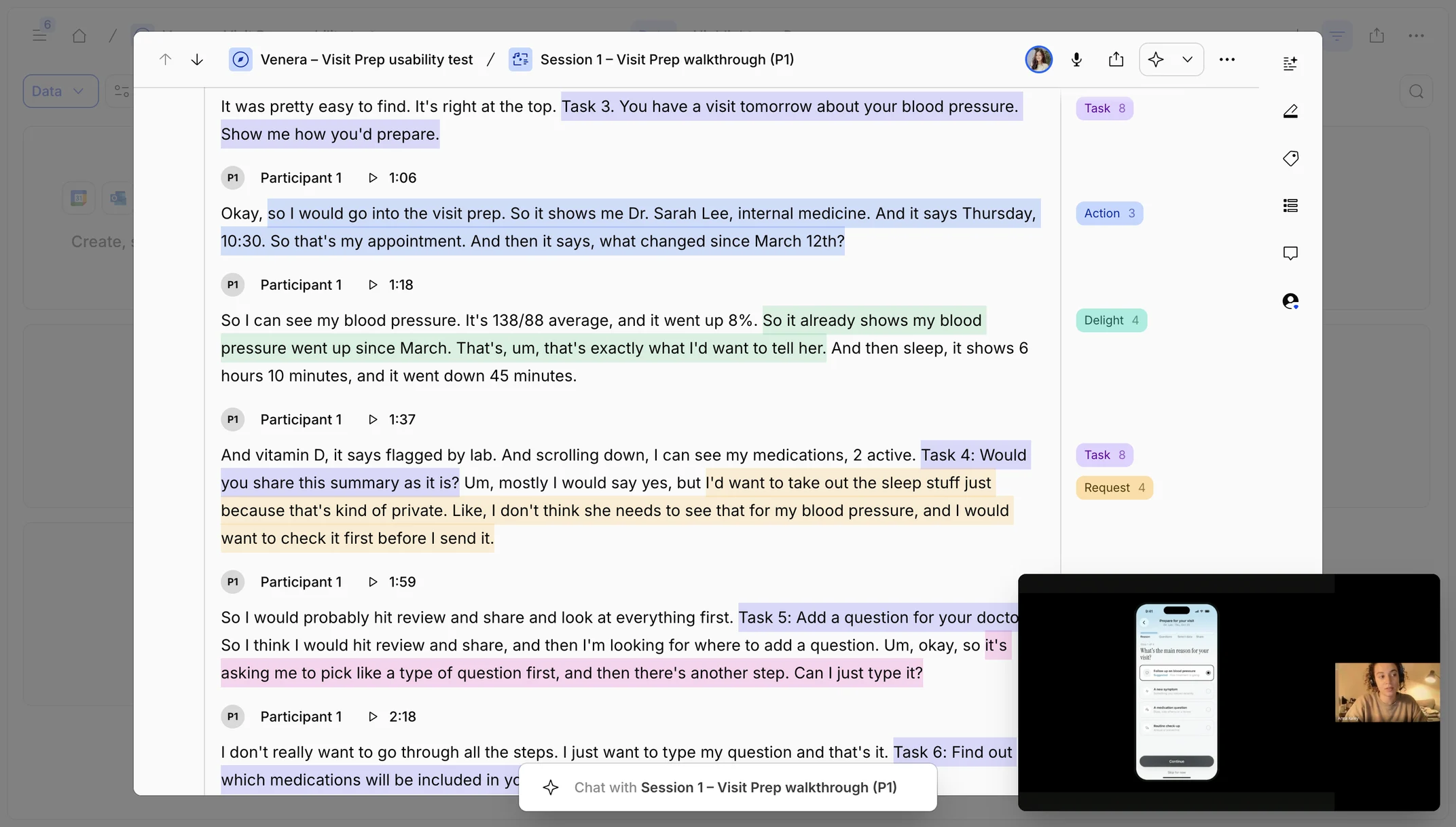
analysis method (Kano framework)
Same color = two versions of one feature.
Happier
Not expected
Delighter
LaterPlain-language lab explanationsPost-visit recap
Satisfier
ShipQuestion listShare as secure link
Indifferent
CutStep-by-step guided builderFull trend charts
Basic
Must shipMedication listReview before sharing
Expected
No impact
Trends: highlights vs. full charts
Sharing: review vs. secure link
Questions: plain list vs. guided builder
Standalone
How did I apply insights from user testing?
I revised the design based on how patients actually prepare and what they valued most.
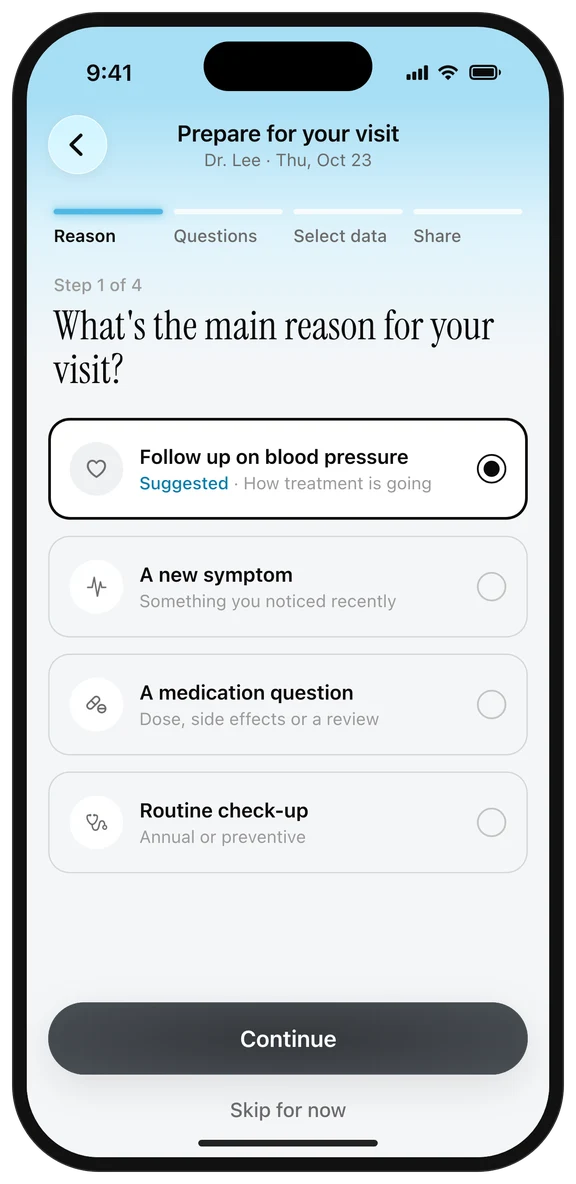
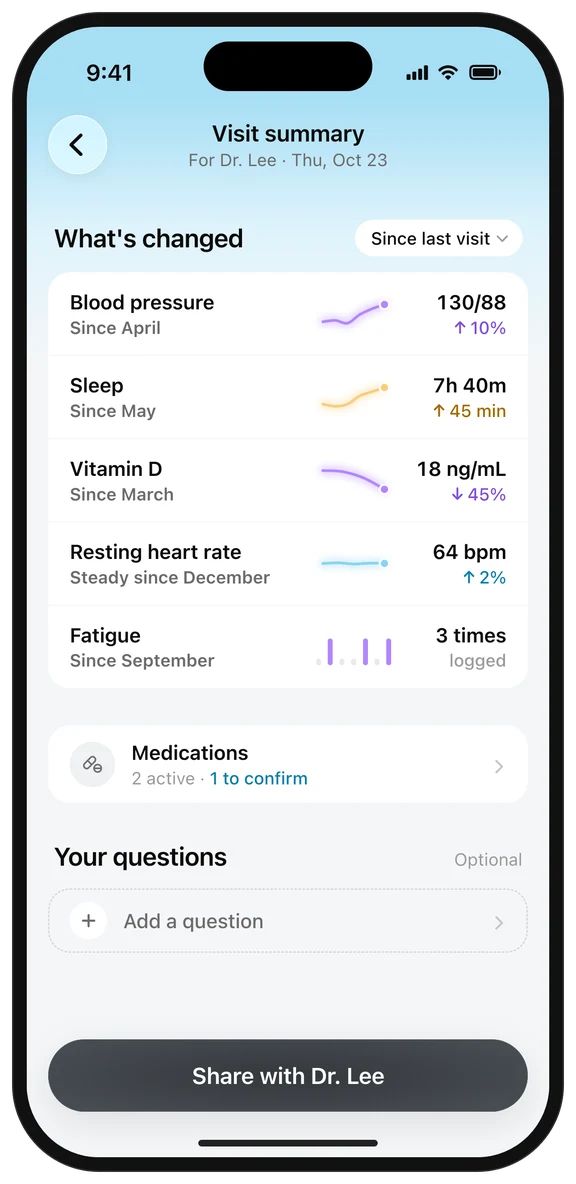
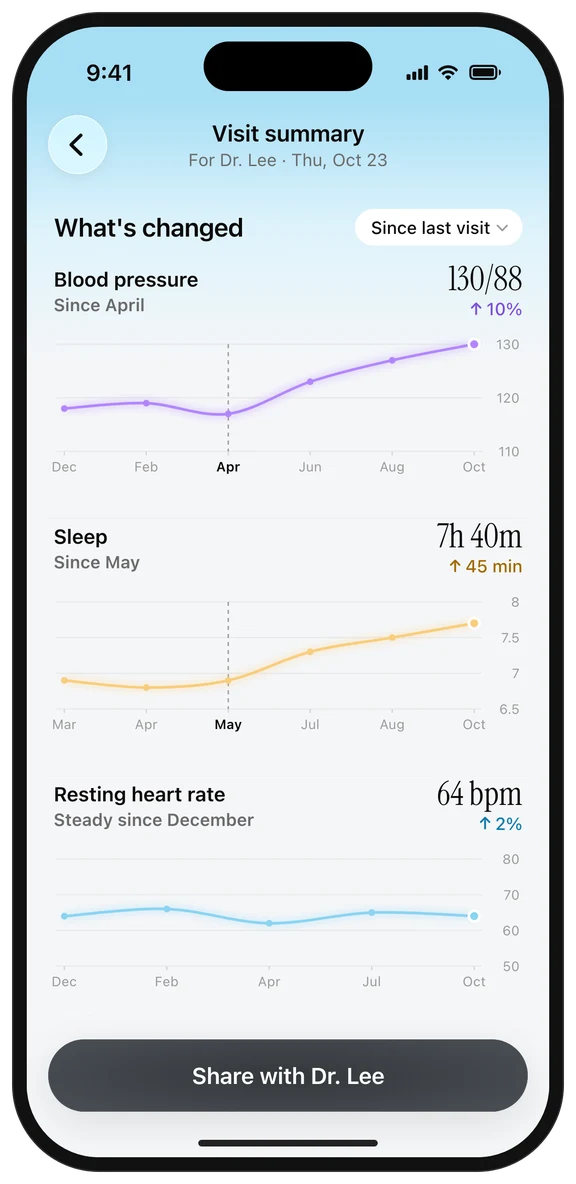
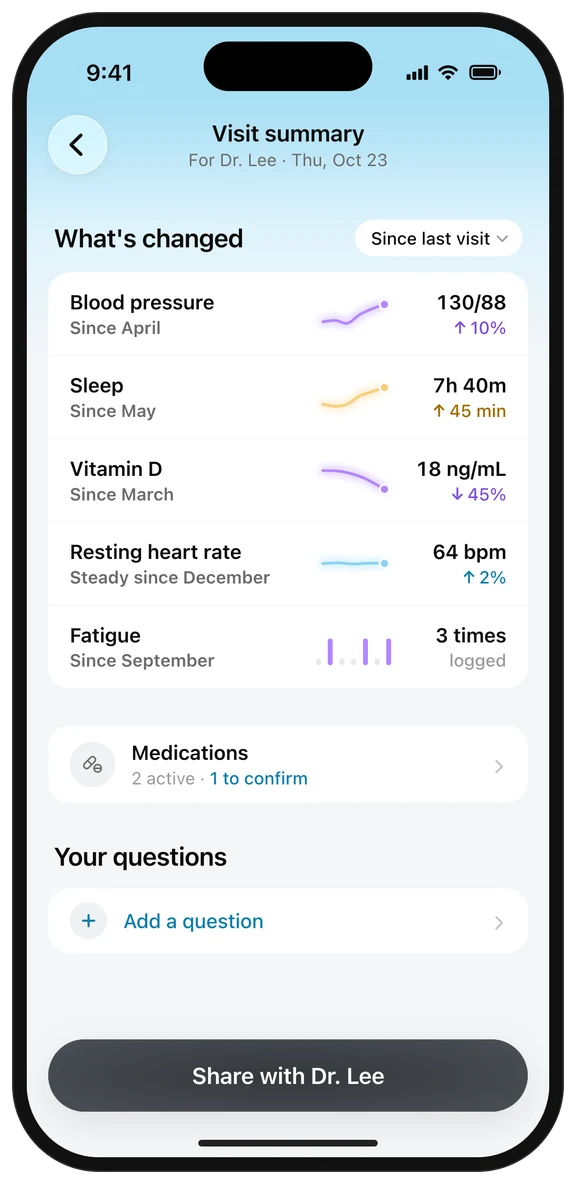
We observed that patients went straight to the "what changed" highlights and rarely used the guided steps. We also noticed that while patients said trend charts were useful, only 1 of 6 opened them more than once.
Insight 1
Patients skipped or rushed the guided steps, but immediately used a ready summary.
Decision
Open with the summary; make questions a simple optional section.
Before
After
Insight 2
Full trend charts were a nice-to-have, not a must-have.
Decision
Replace full charts with short "what changed" highlights; keep charts one tap away.
Before
After
Insight 3
Patients wanted to review and control what's shared, rather than sharing everything automatically.
Decision
Add a review screen with a switch for each section before sharing.
Before
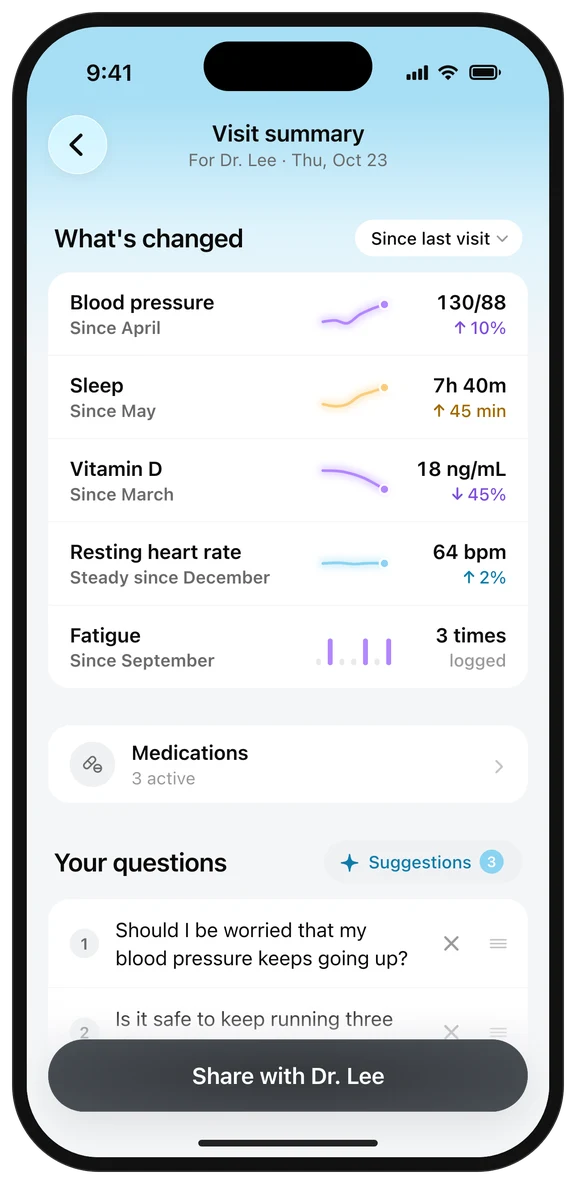
After
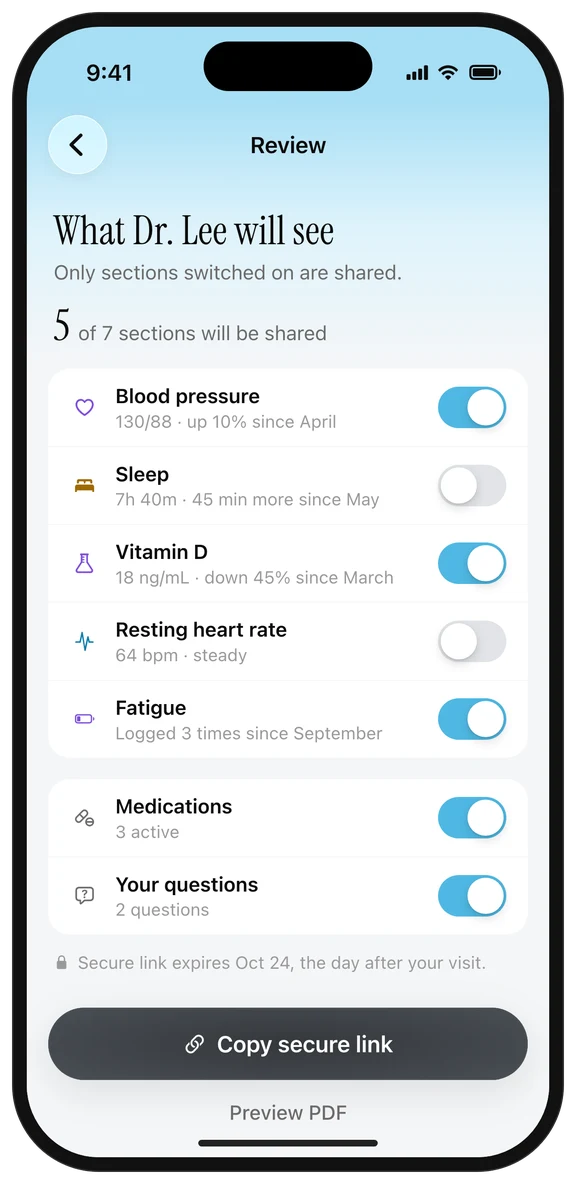
Final designs
Final designs prioritized a quick, ready-made summary, while still supporting different ways of preparing.
Given what we saw in testing, we prioritized a clear summary of what changed since the last visit. Since we still didn't know how often patients would add questions, hide sections or open charts, I recommended tracking these during the pilot to guide future versions.
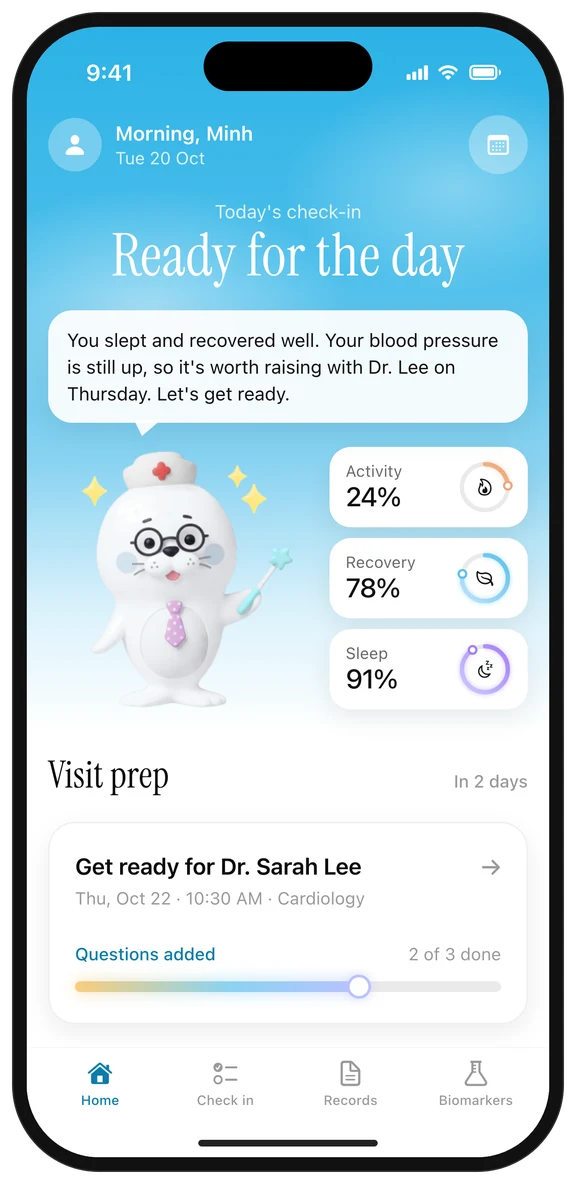
1. Home
The visit card appears two days ahead, where patients already look
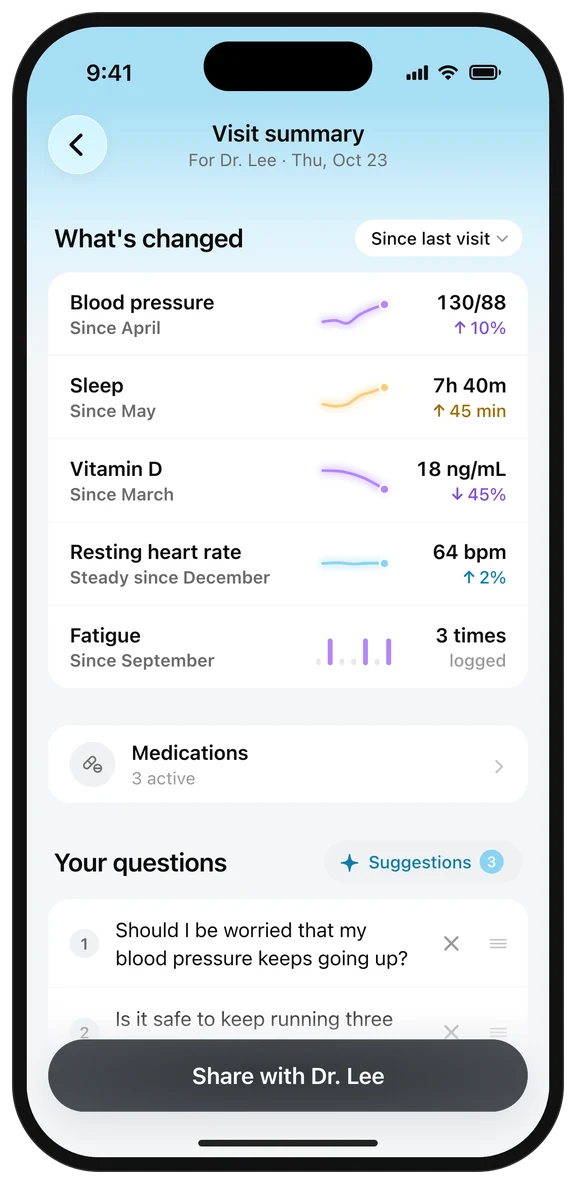
2. Visit summary
What changed, at a glance; everything else one tap away
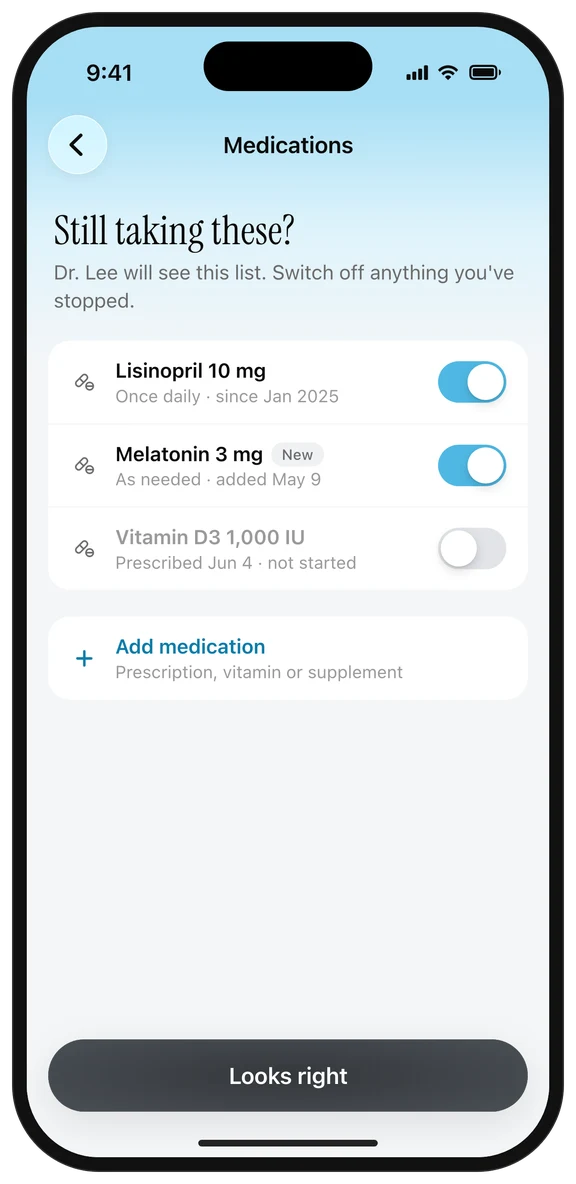
3. Medications
A quick check before the visit
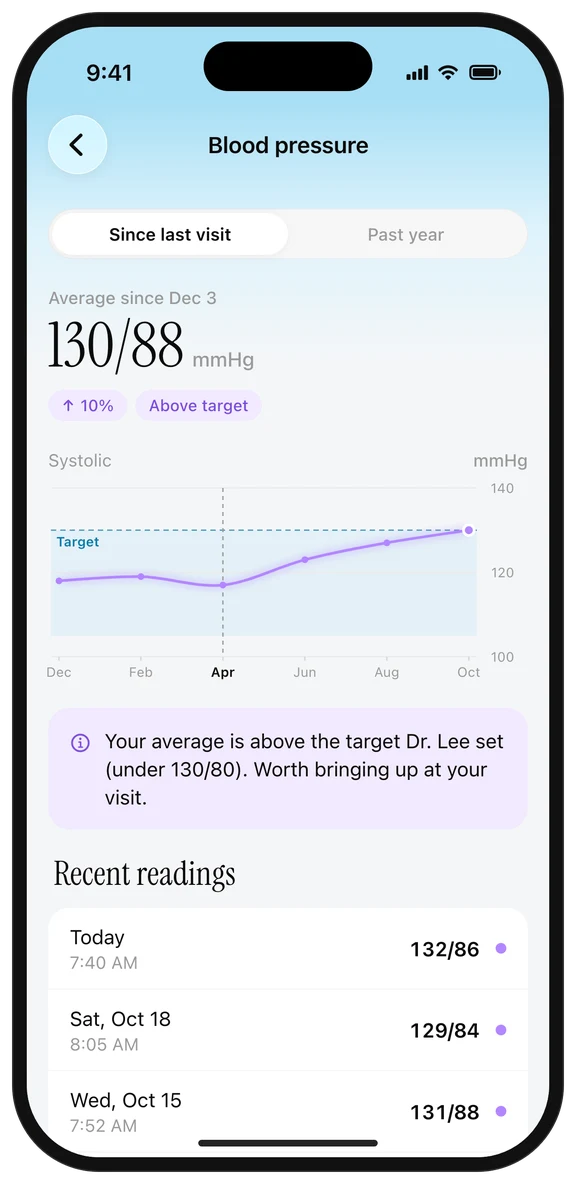
4. Detail
Chart one tap away, explained in plain language
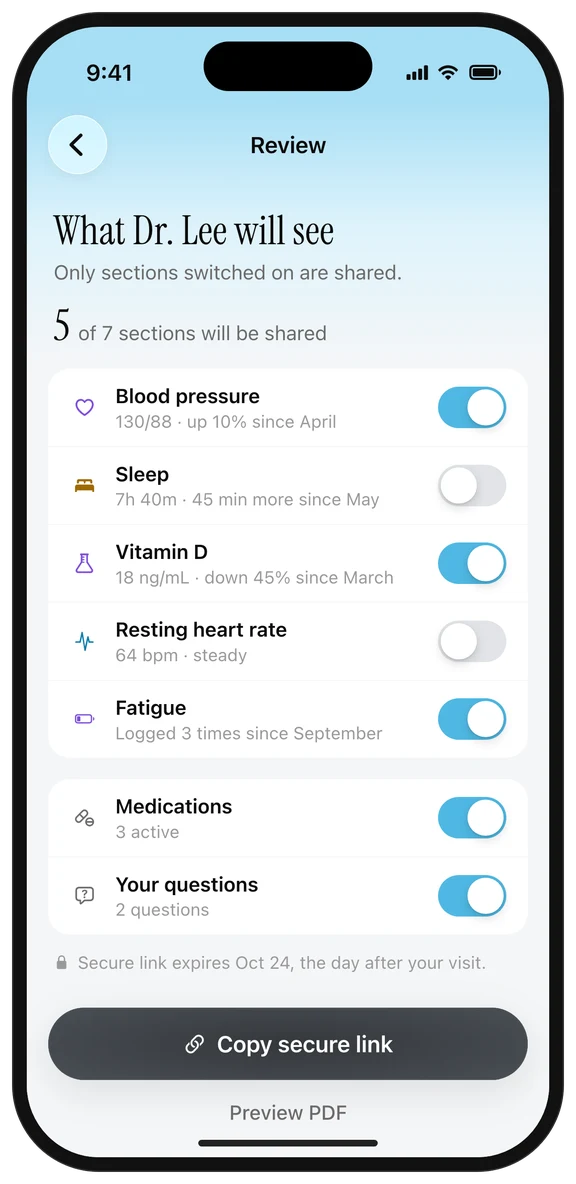
5. Review & share
The patient stays in control
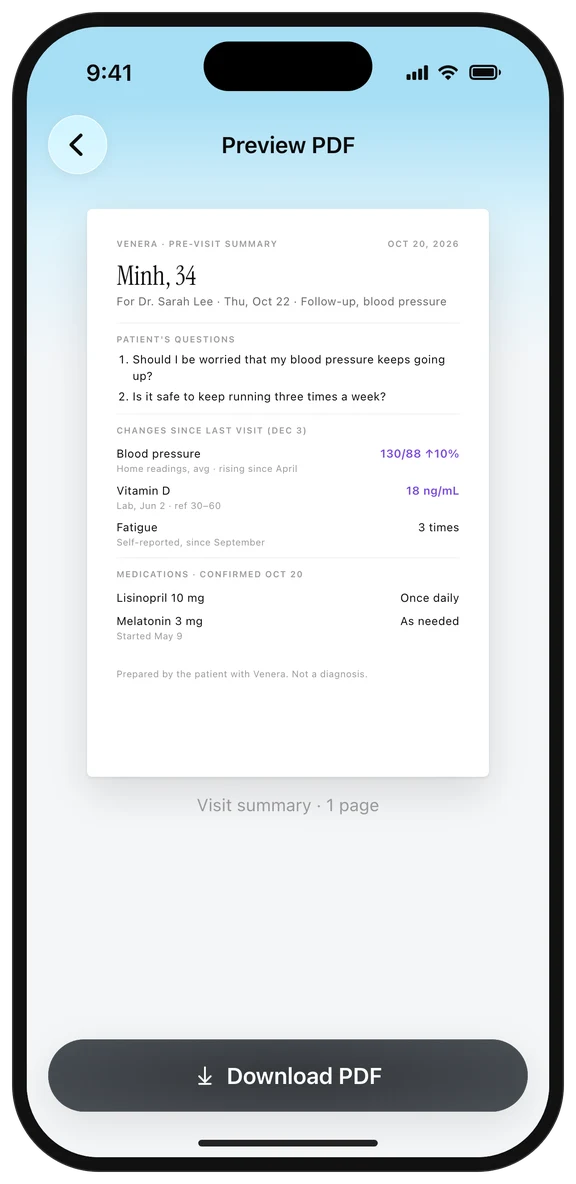
6. Preview PDF
One page to save or print
What next?
We've launched Visit Prep in a pilot with two clinic networks, and it's expanding to 8 more.
2
clinic networks live in the pilot
+8
clinic networks coming next
What we're measuring
How often patients add questions
Which sections they hide before sharing
How often they open the full charts
What did I learn?
Leading Visit Prep taught me three things I'm carrying into every project.
Design for trust, not just usability.
In health, a design can be easy to use and still fail if people don't feel safe. Testing showed that control over sharing mattered as much as speed.
Understand the data before designing with it.
Learning early how medical records are structured would have saved me from designing features the data couldn't support, like "what changed" for doctor's notes.
Use a framework to stay focused while exploring.
Organizing my sketches around three questions (what to ask, what changed, which part of my health) helped me move forward. Next time I'd start with that framework.